Let curiosity lead
Offer curated artwork, artist suggestions, search and category-led exploration without turning discovery into an endless feed.
A concise reference for the IrisArtSphere mobile experience—its visual language, reusable interface patterns, product journeys and complete screen set.
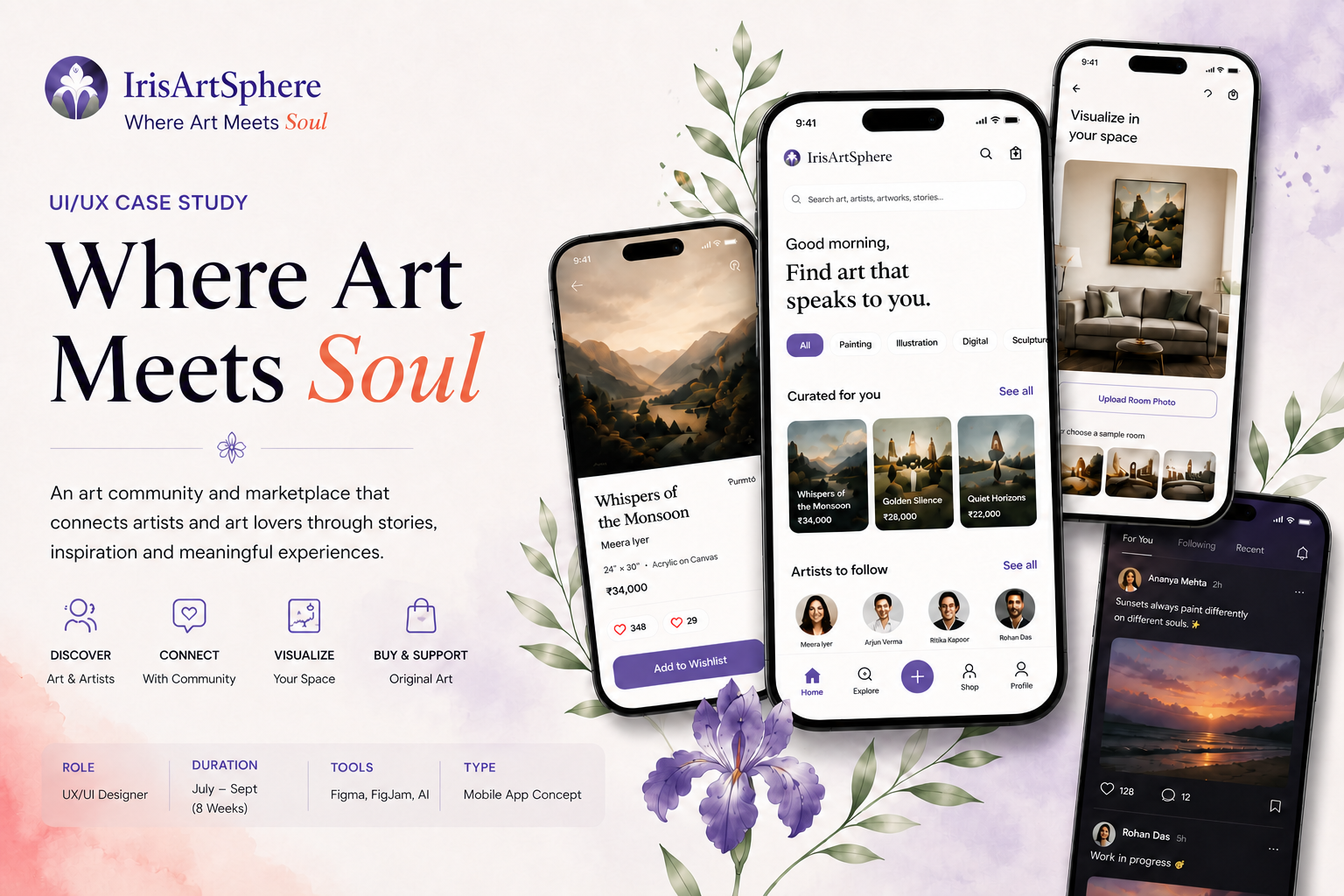
The app connects art, its creator and its audience through a discovery experience that also supports learning, community and confident purchasing.
Offer curated artwork, artist suggestions, search and category-led exploration without turning discovery into an endless feed.
Bring artist profiles, process and artwork context close to each visual so appreciation can develop into connection.
Use transparent artwork details, an optional room preview and a clear checkout flow to support informed choices.
“The interface should frame the artwork, not overpower it.”
Positioning statement for this concept, not a research-participant quotation.
Six named colours from the supplied component library. Purple anchors the interface; coral adds warmth; sage and soft neutrals keep the canvas welcoming.
For production, test text/background combinations individually; palette values alone do not establish accessibility compliance.
The documented pairing is Playfair Display for expressive headings and Inter for functional reading and controls.
Use for hero statements, feature headings and editorial moments. Leave generous space around it.
Use for descriptions, labels, prices, forms and navigation. Prioritise legibility over decorative styling.
If these fonts are not installed, this offline handout falls back to Georgia and a system sans-serif. The app typefaces remain Playfair Display and Inter.
The component library shows a compact spacing scale, rounded corners and a fine line-icon style. These tokens are visual references for consistent UI construction.
Use smaller steps within controls and larger steps between content groups.
Repeat radii by component role rather than choosing a new curve for each element.


Use clear, consistent line icons with labels where meaning may be ambiguous.
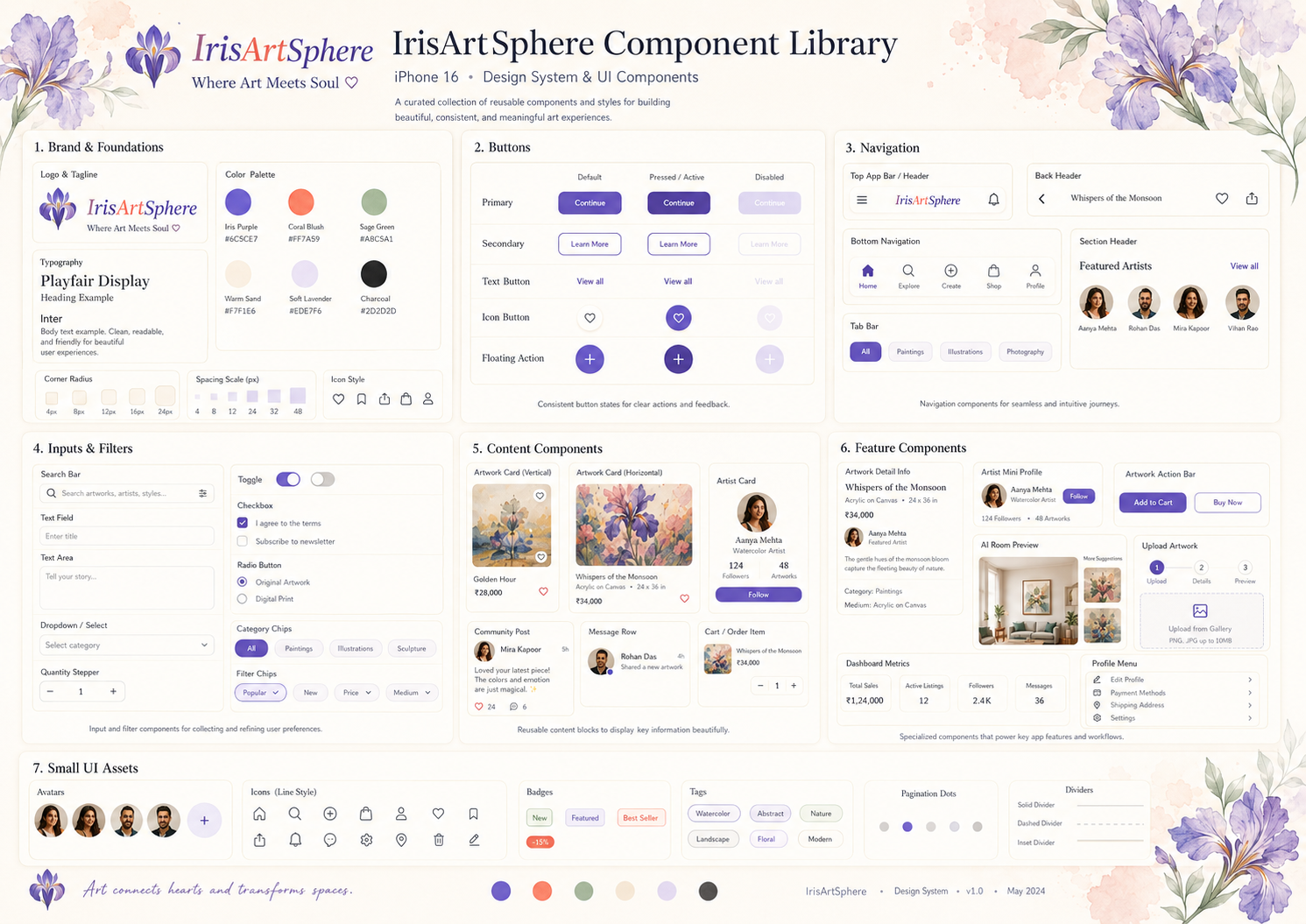
A compact demonstration of the button, navigation, search, filtering and content patterns documented in the component board.
Primary for one leading action; secondary and text treatments for lower-emphasis choices. Define default, pressed and disabled states.
Search art, artists, styles...
Combine a prominent search field with simple, scannable category chips.
 Home
Home Explore
 Create
 Shop
Shop Profile
The final screen board uses a five-item bottom bar. Collections and messages appear within the broader experience rather than as permanent tabs.
Reusable cards make discovery, commerce and community feel like parts of the same product, while the artwork remains visually dominant.
The information architecture supports both art lovers and artist-sellers, from first discovery to publishing, buying and managing activity.
Search, featured artists, trending work, recommendations.
Categories, local artists, results and artwork details.
Photos, story, category, tags, pricing and publishing.
Marketplace, cart, checkout and order details.
Optional photo upload, placement and artwork comparison.
Saved works, followed artists and purchases.
Artist chats, community activity and support.
Personal account, artworks, orders and artist insights.
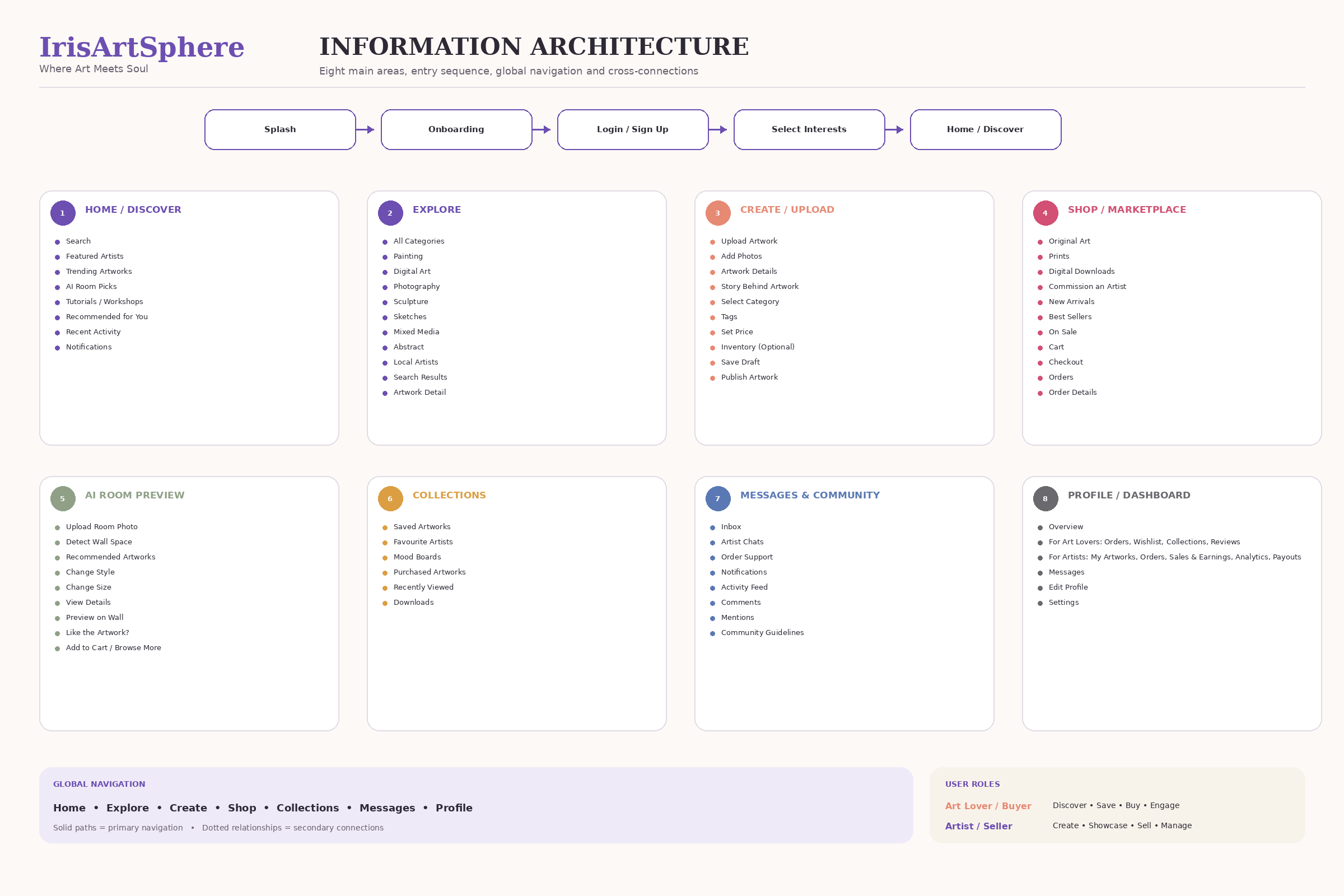
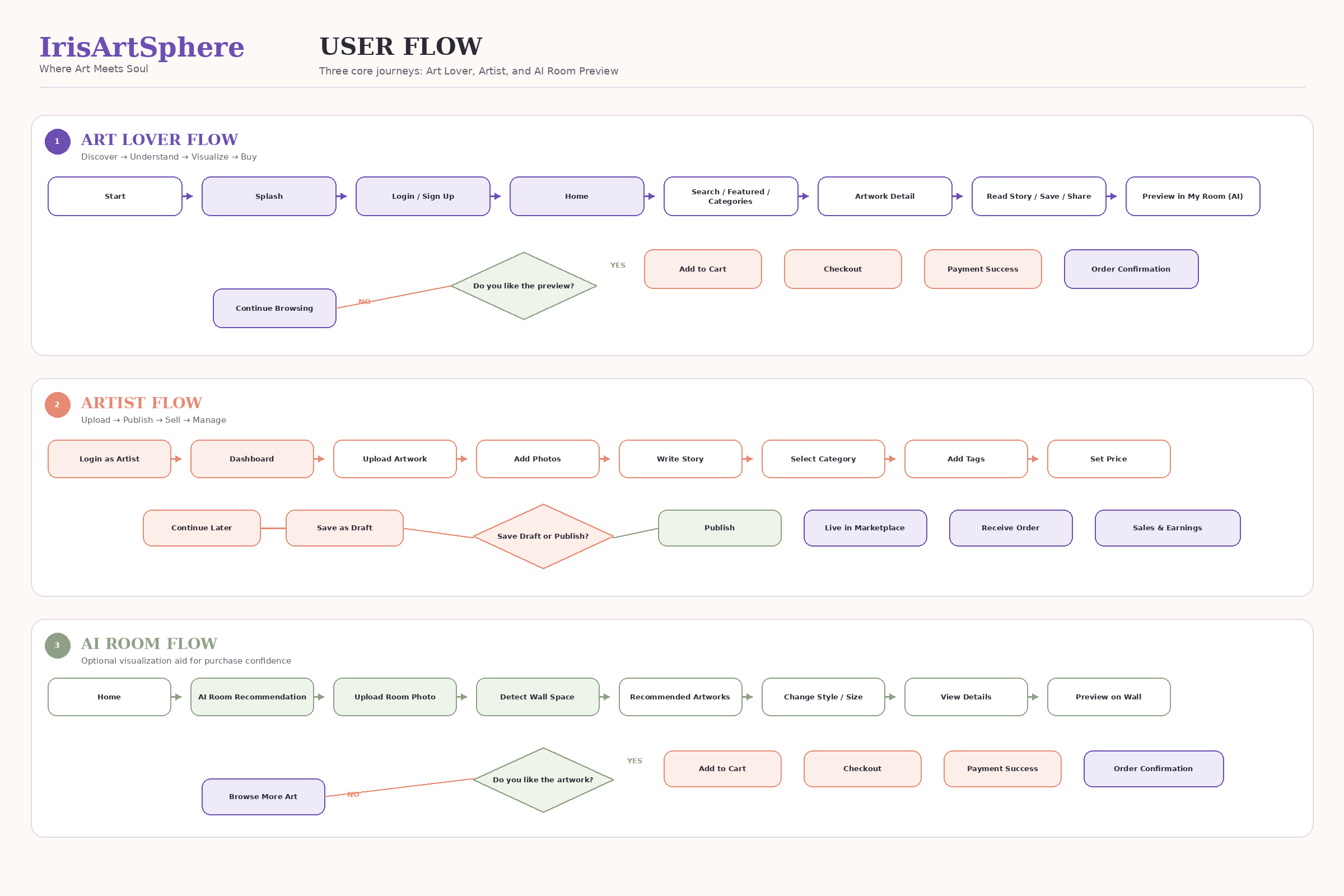
Three core flows connect the two-sided marketplace and the optional room visualisation feature.
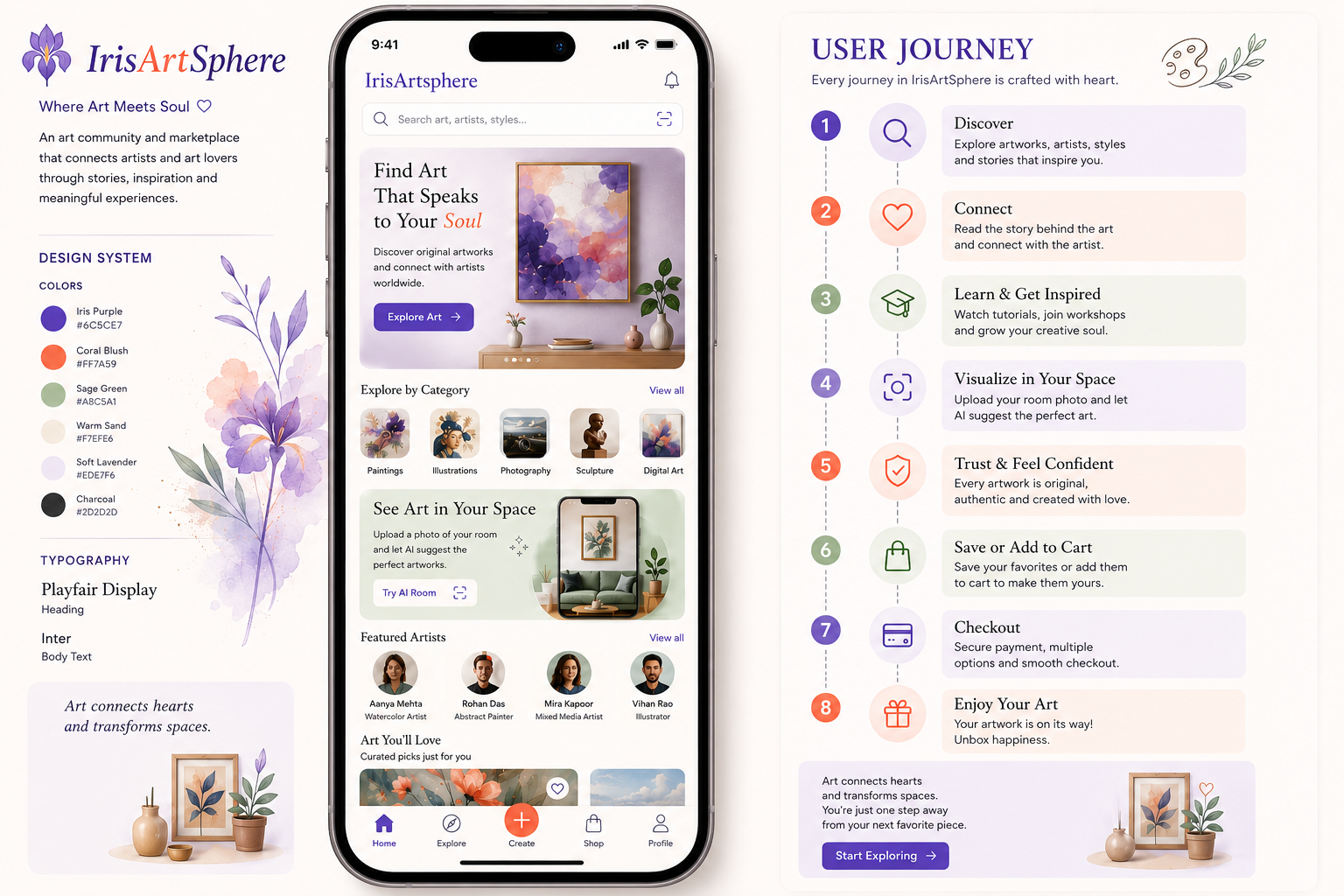
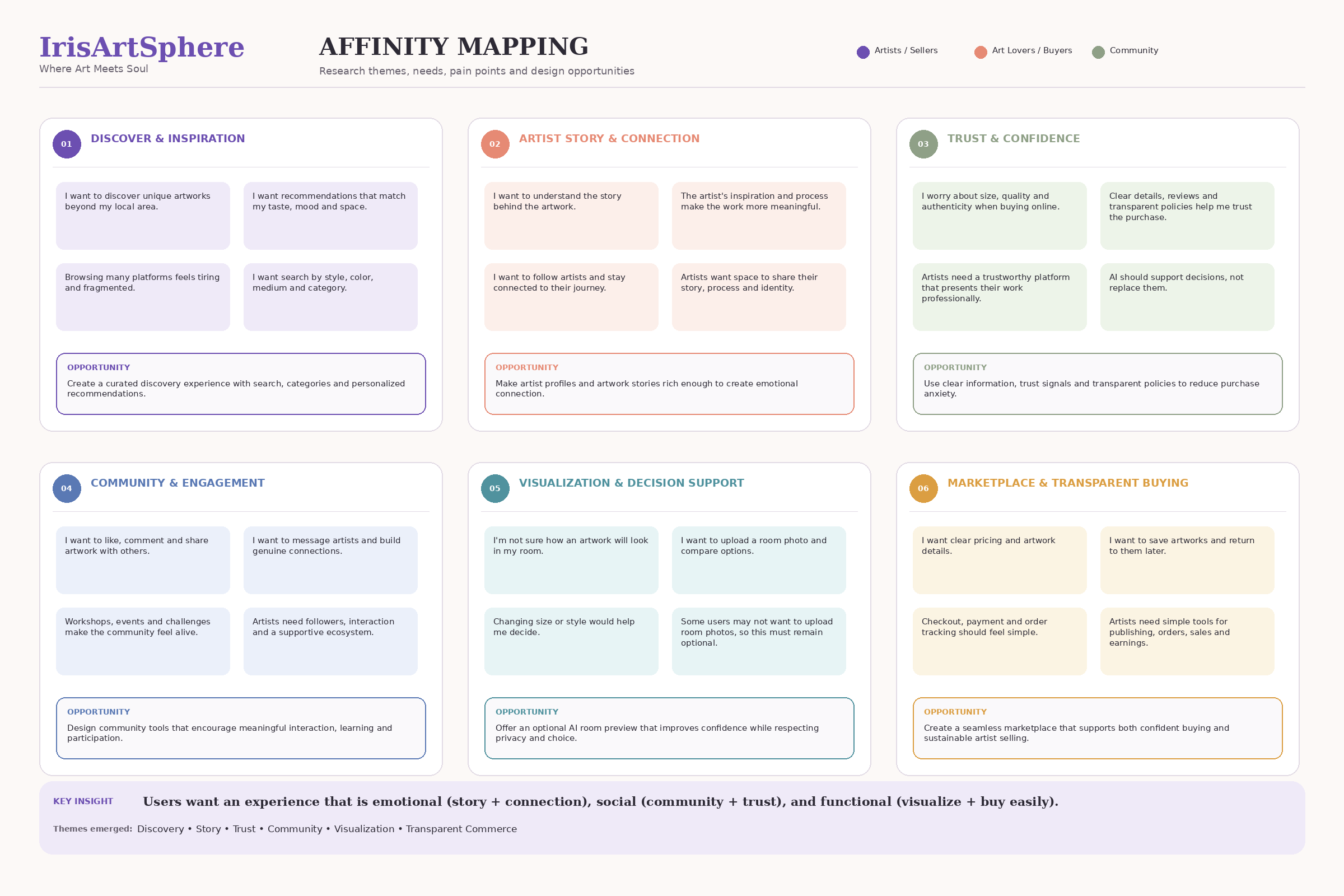
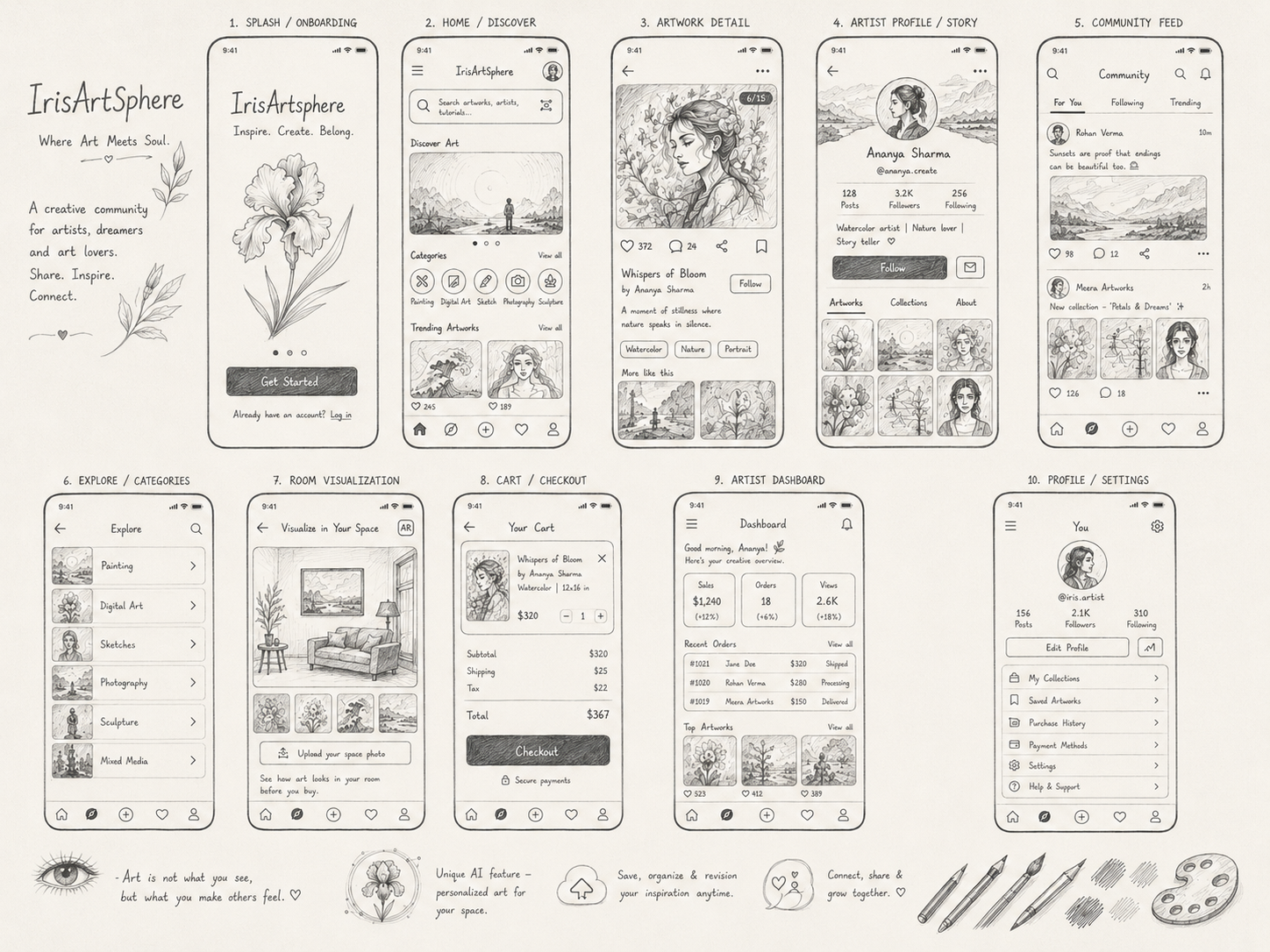
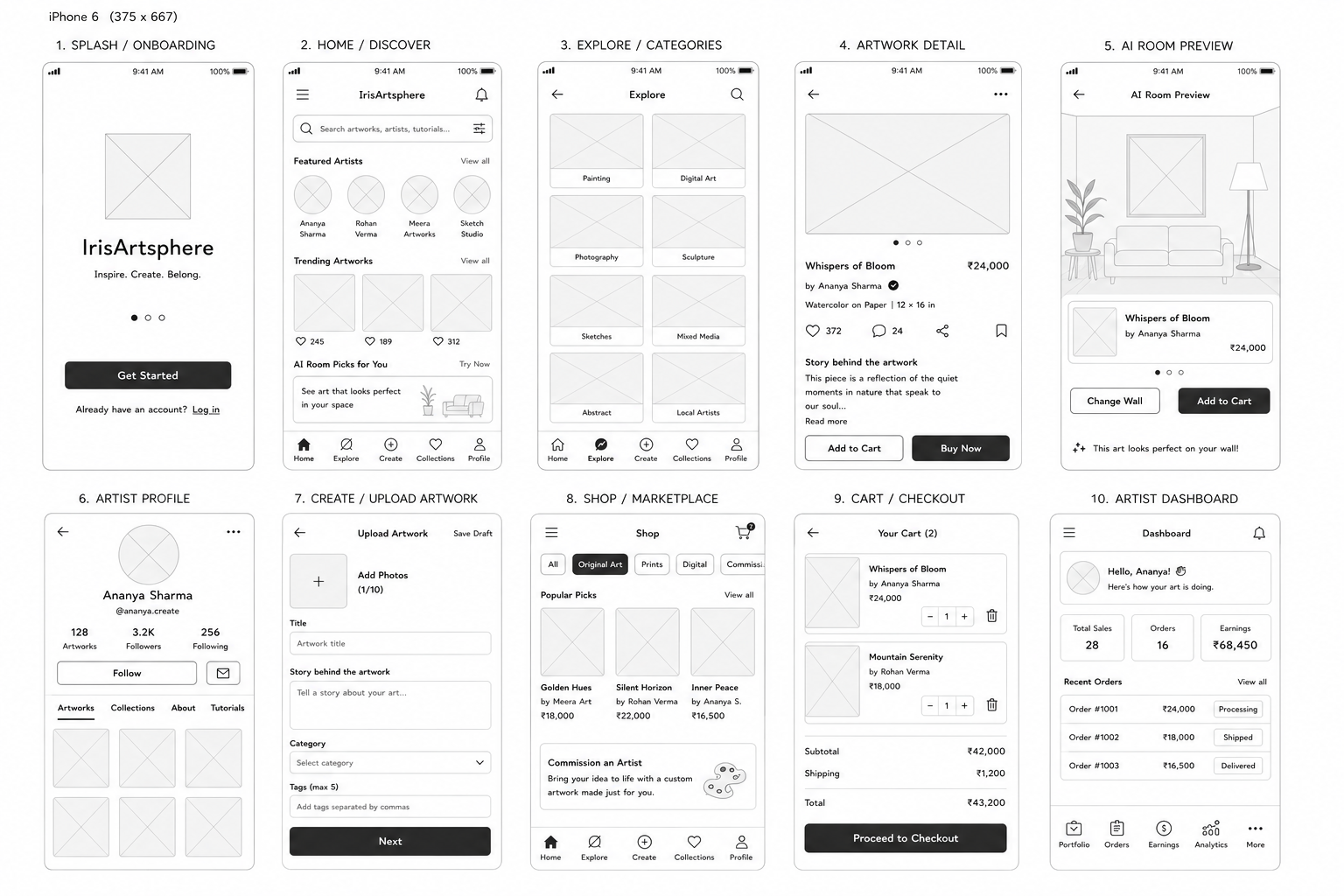
The case-study assets show affinity mapping, journey and flow work, then sketch and low-fidelity wireframe exploration before the polished UI.
Discovery, artist story, trust, community, visualisation and transparent buying shape the concept’s opportunity areas.
Sketch boards compare the placement of artwork, stories, actions and navigation before visual polish is applied.
Low-fidelity screens define the key paths for onboarding, discovery, artwork detail, room preview and checkout.
The supplied final screen board is designed on an iPhone 16 canvas (393 × 852 px) and spans the experience from welcome to artist management.
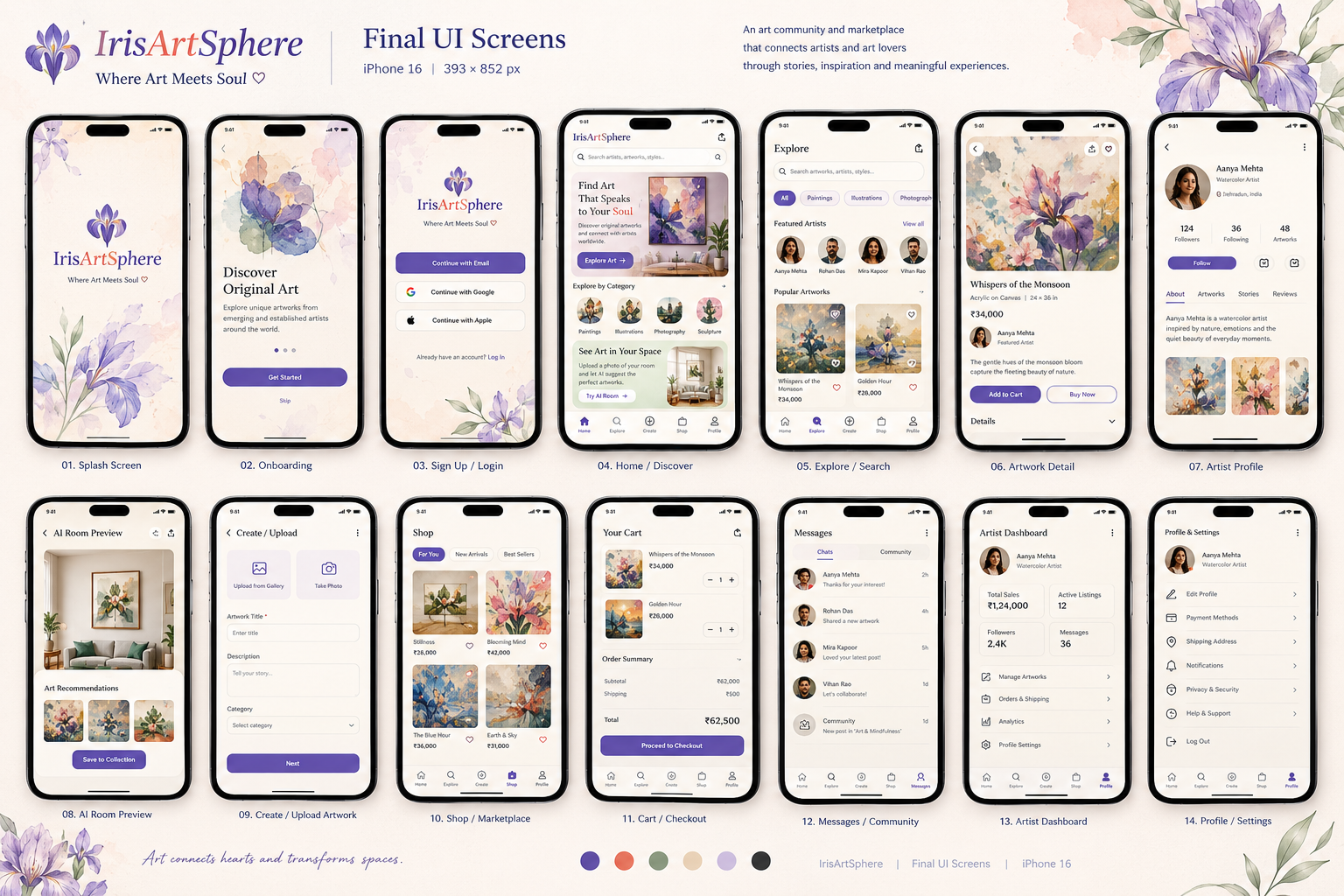
Brand introduction and visual tone.
Welcome and original-art proposition.
Account entry with multiple options.
Curated entry point, categories and artists.
Category filters and artwork browsing.
Artwork, maker, price and buying actions.
Identity, works, stories and follow action.
Visualise art in a space before deciding.
Add artwork imagery and description.
Browse work available to collect.
Review items, totals and next step.
Conversations and shared activity.
Sales, listings, followers and management.
Account and personal preferences.
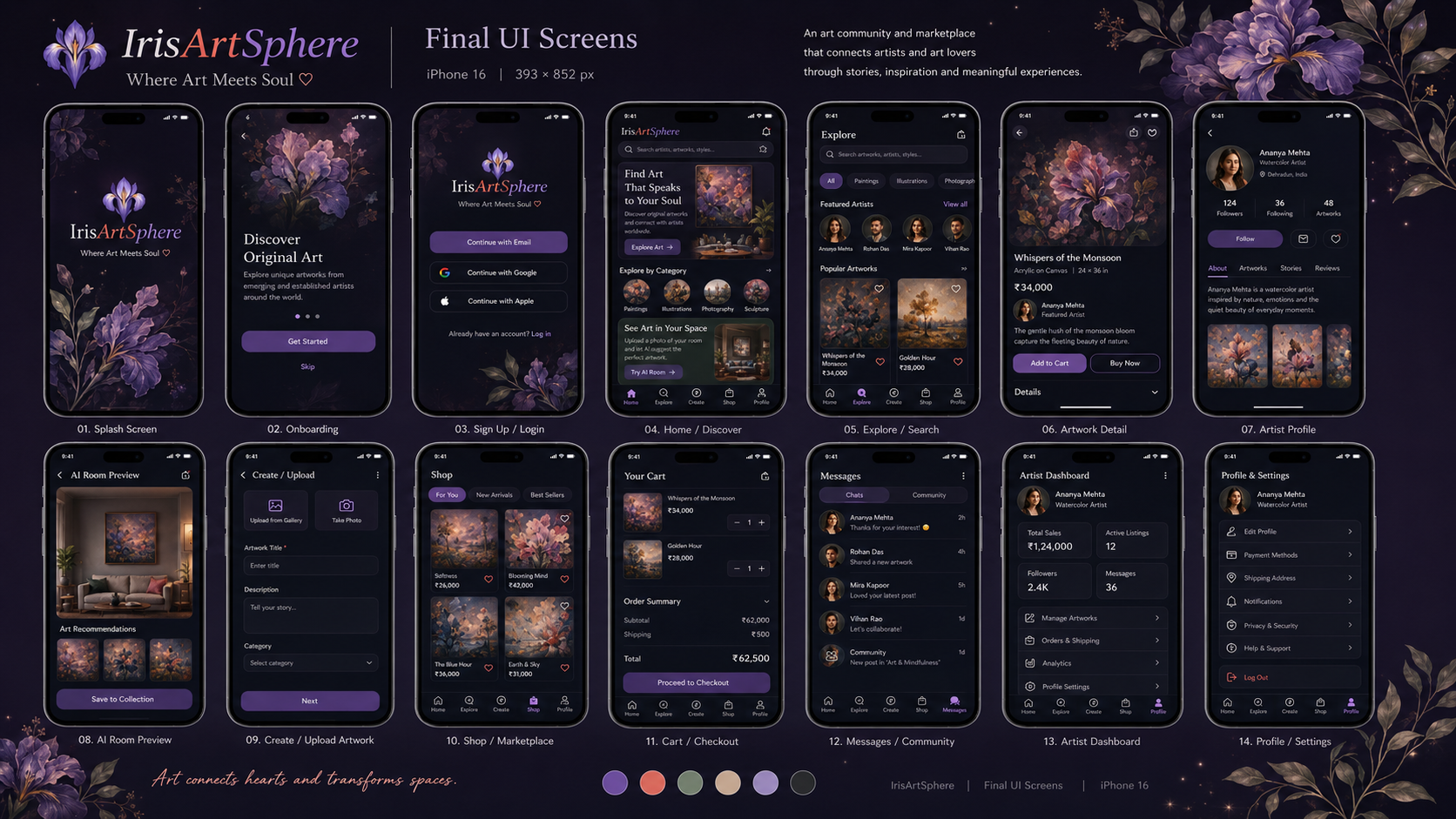
The source set includes both a dark gallery-like treatment and a light botanical treatment. This handout treats the light board as the primary final presentation and the dark board as a visual exploration.
A cinematic frame that intensifies mood and rich artwork, with the risk of competing with some pieces and making dense pages heavier.
Warm off-white surfaces, purple actions and soft botanical details create a quieter frame for different styles of art, longer stories and transactional content.
This designation follows the accompanying case-study narrative. It is not a claim that either direction was validated by user testing.
A practical set of recommendations for translating the concept boards into a working product.
It is a visual and UX reference based on the supplied case-study artwork and component library. It is not a coded production specification, accessibility certification or evidence of usability outcomes. Exact implementation values beyond the documented colours, fonts, spacing and radii should be finalised in Figma and checked in the target app.