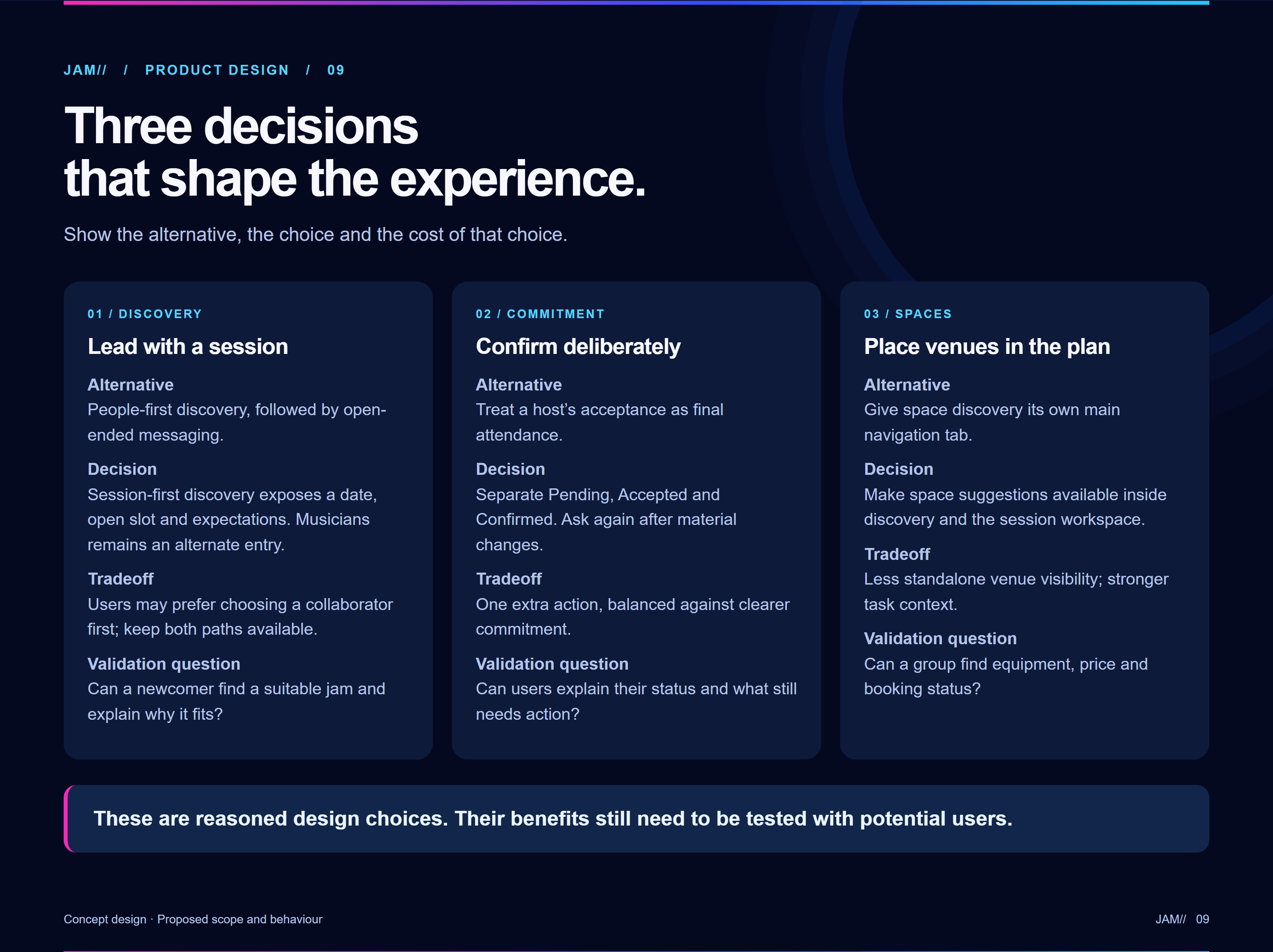
Lead with a session.
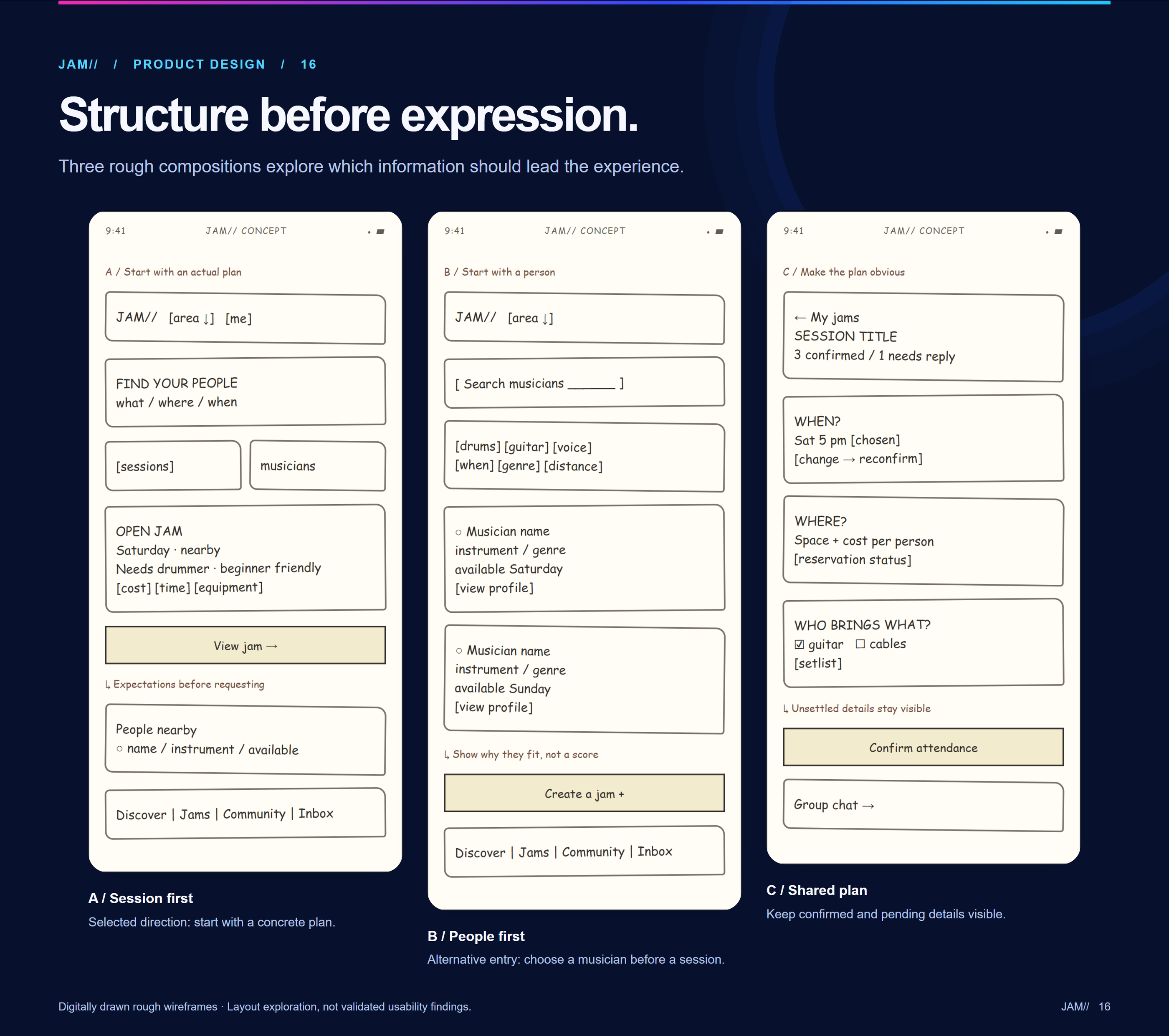
A visible date, open slot and expectations make a jam actionable. Musicians remain an alternative discovery route.
UI/UX design handout · Mobile app concept
JAM helps musicians discover compatible people, turn “we should jam” into a specific session and keep playing together. This handout traces the decisions behind its midnight-blue, electric interface.
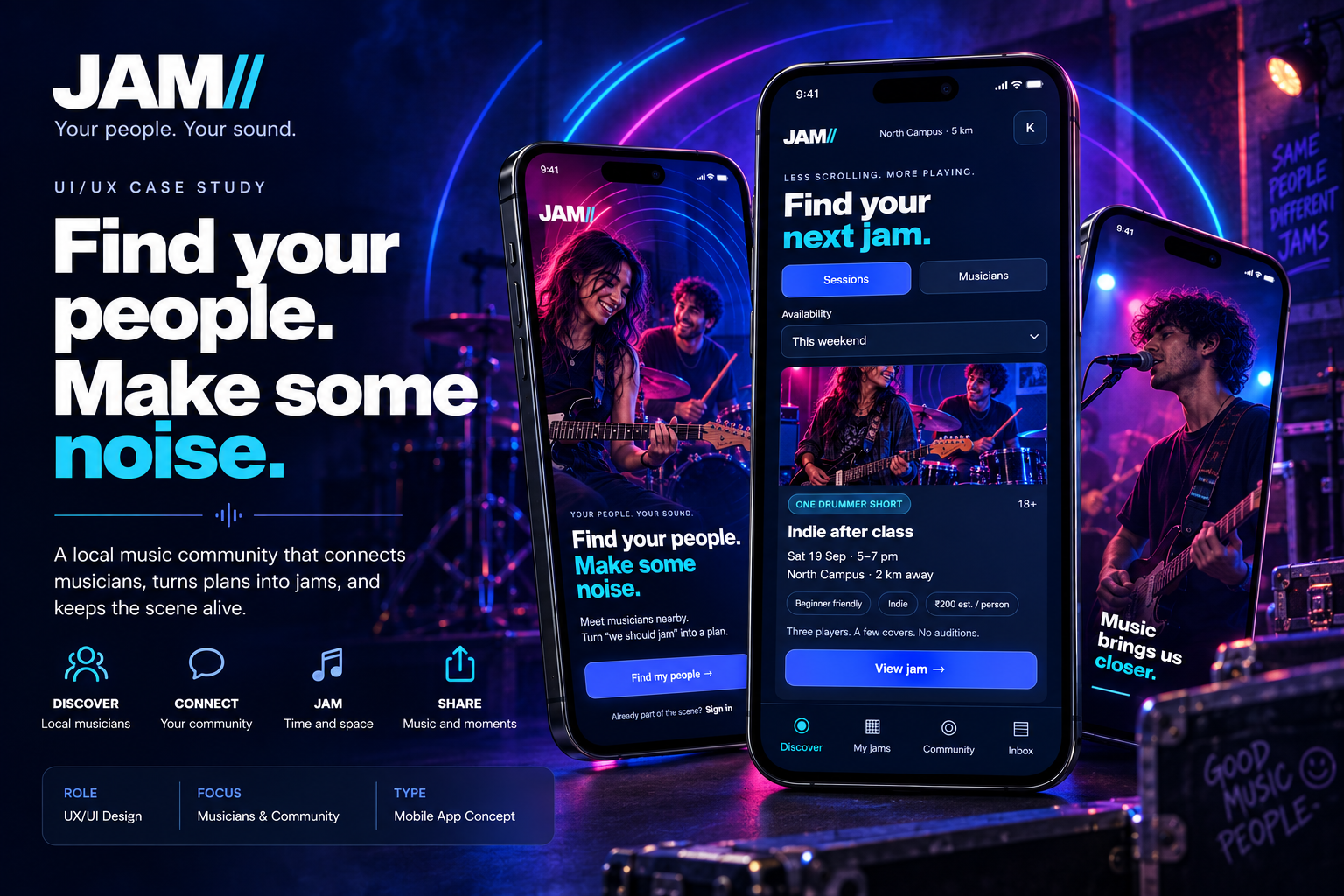 JAM · concept UI
01 / Product decisions
Three explicit choices connect finding a match to a plan that musicians understand and can commit to.
A visible date, open slot and expectations make a jam actionable. Musicians remain an alternative discovery route.
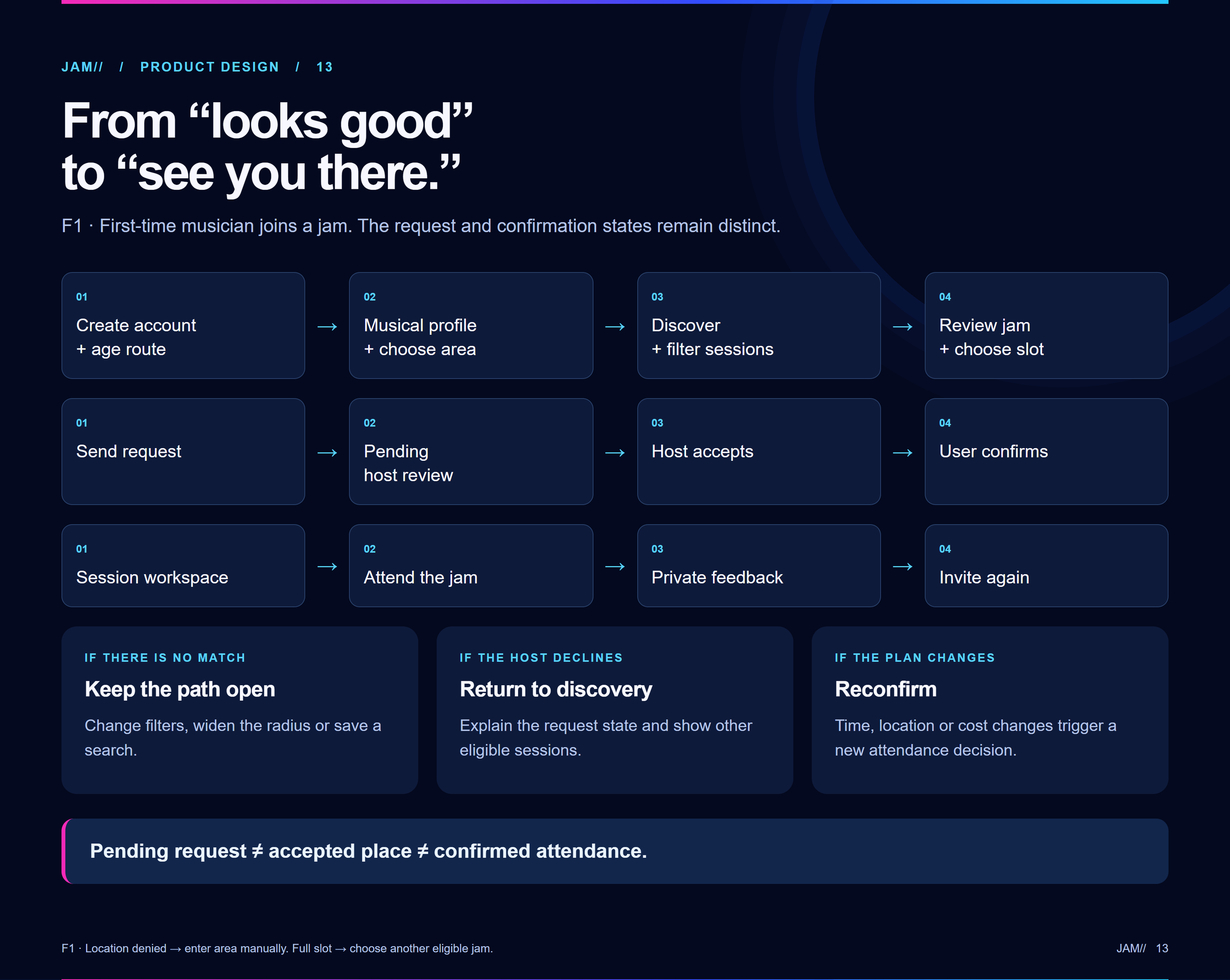
Pending, accepted and confirmed are separate states. A material change to time or place asks for renewed confirmation.
Space suggestions appear inside discovery and session coordination, where equipment, price and booking status are meaningful.
02 / Visual foundations
Deep blues make music imagery feel immersive. Cyan, blue and a restrained magenta echo live performance without competing with session details.
#0B1024Base canvas#172342Cards and plans#3158F8Primary actions#55D5FFAccent and focusBold sans-serif typography makes the next invitation immediately scannable.
Date, distance, slot and estimated cost are easier to compare when labels and numerals are consistent.
03 / Typography
Bold sans-serif headlines give JAM its performance energy; compact interface text keeps time, place, cost and participation easy to compare.
04 / Layout patterns
Repeated spacing, rounded cards and predictable states help the energetic visual language remain usable through practical coordination.
Give session essentials their own scan path before secondary stories, tags and social context.
Repeat card and control shapes across discovery, session detail and My Jams.
Joining, pending, confirmed and cancelled need distinct labels as well as visual treatment.
05 / Reusable UI
Components pair the energy of discovery with practical details and unmistakable commitment states.
People-first browsing remains available, but a session card reveals an immediate way to participate.
Location, time, style, open role and estimated cost belong in the decision, not hidden in chat.
Host acceptance and musician attendance are not the same event. Material plan changes should be explicit.
06 / Information architecture
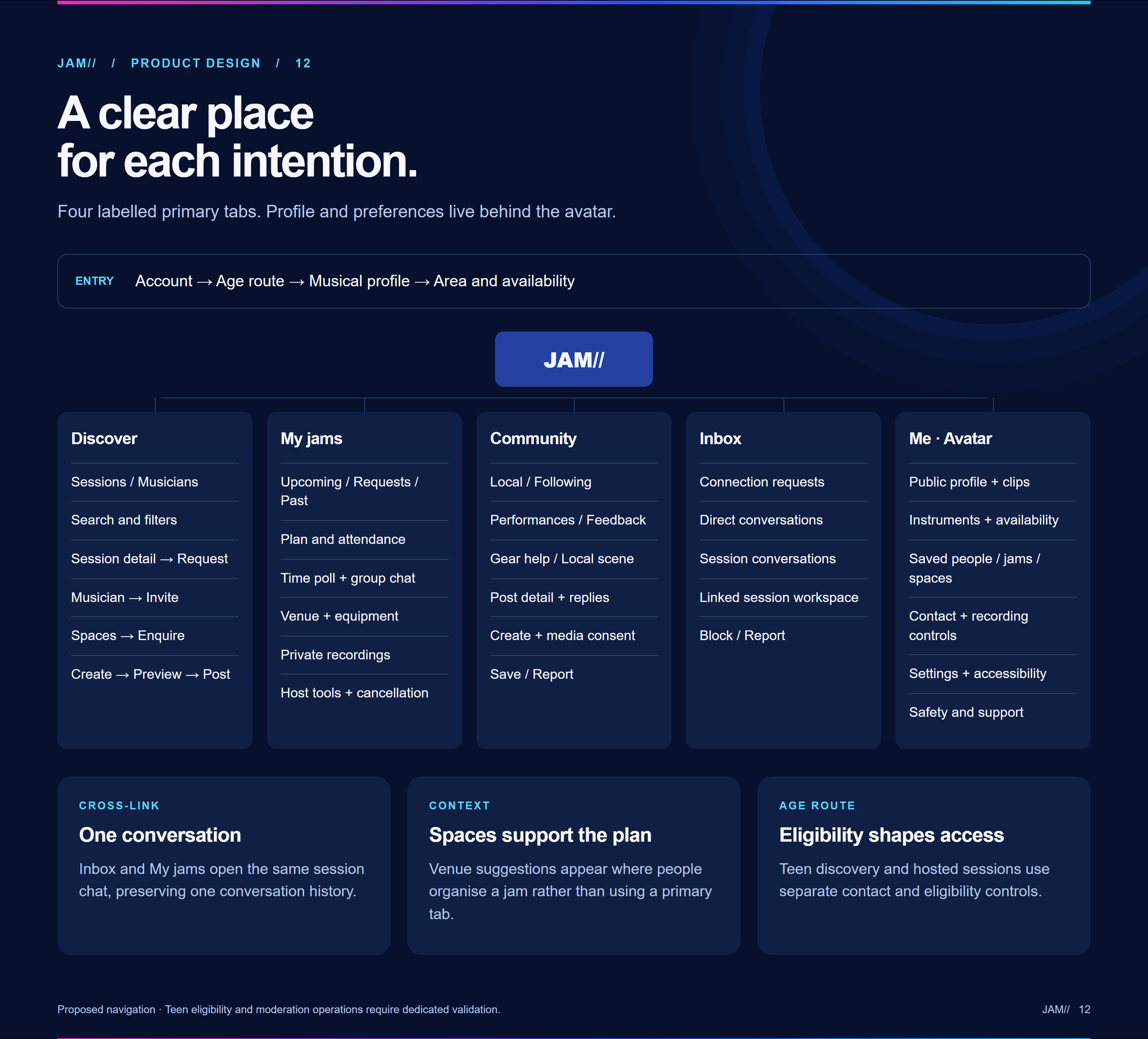
Primary navigation separates finding a session, planning it, staying connected and handling direct messages.
Sessions first, with filters and musician discovery as an alternate path.
Track requests, confirmed attendance, time, venue and group context.
Stay connected after the first session without reducing the experience to a feed.
Messages support a specific plan; they do not replace its visible status.
07 / First-jam flow
A host’s response is followed by a separate participant confirmation, so everyone can see what still needs action.
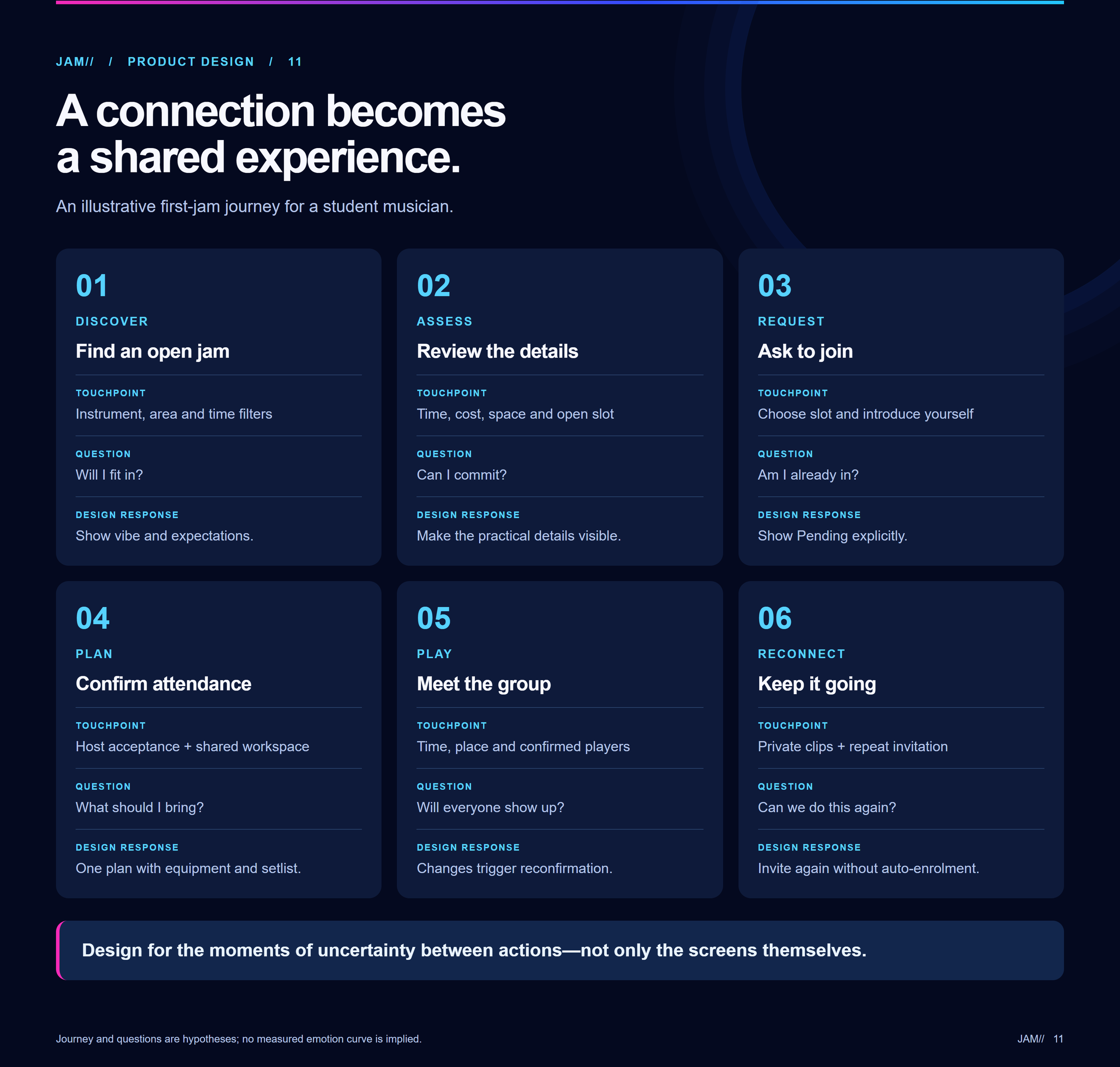
08 / UX process
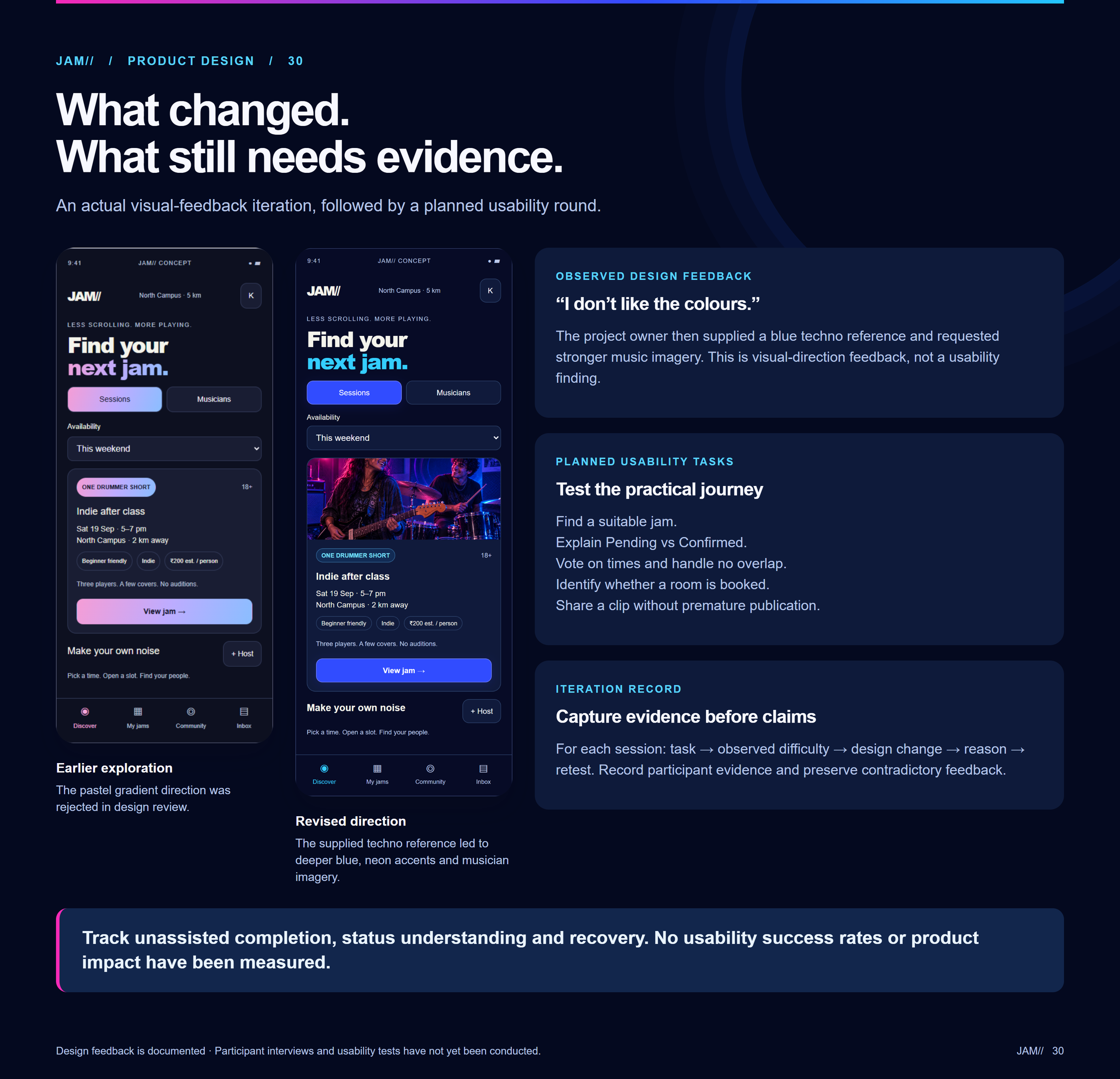
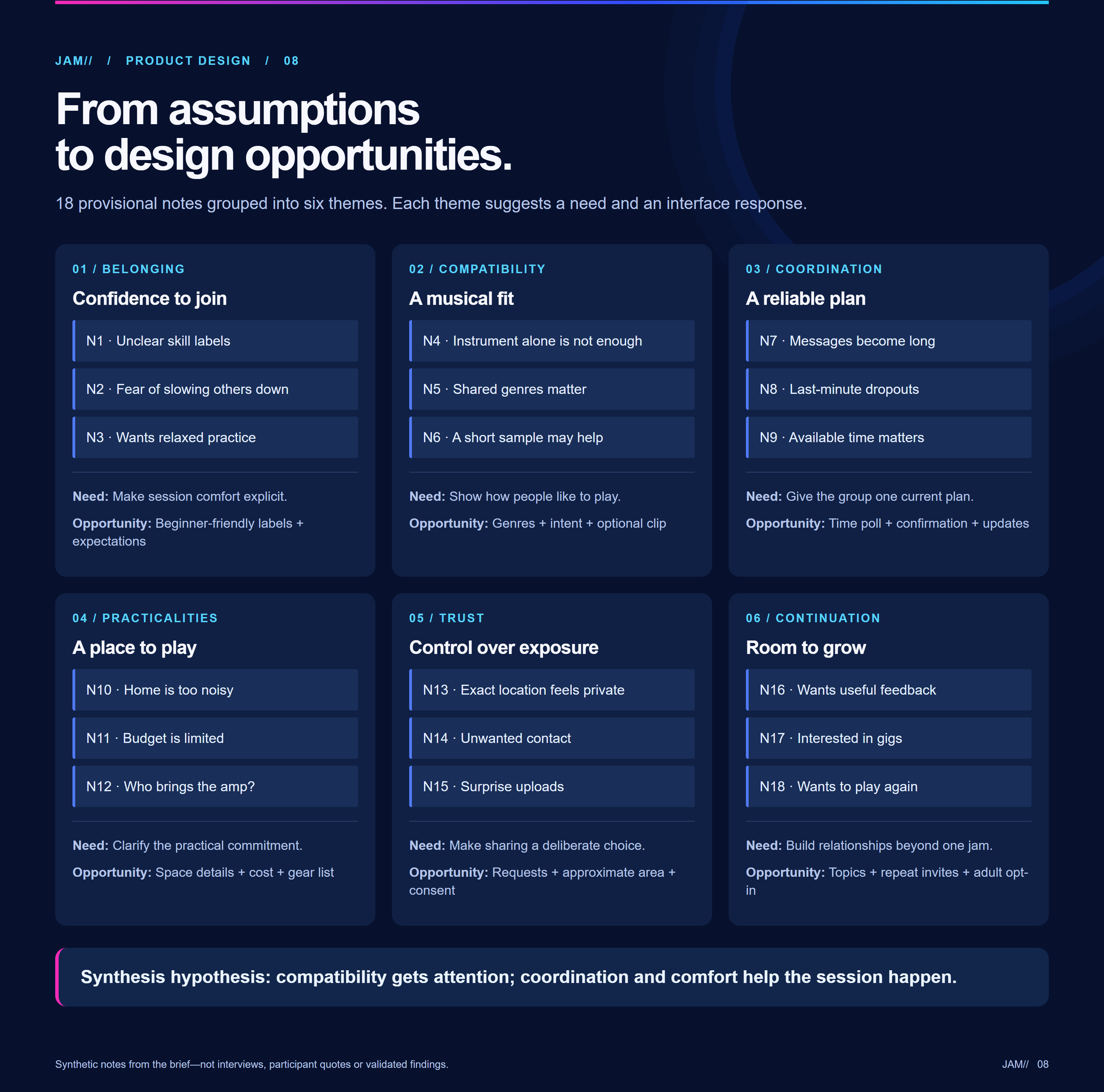
Concept themes and alternate layouts were compared before the visual treatment made the app feel like a live music space.
09 / Screen families
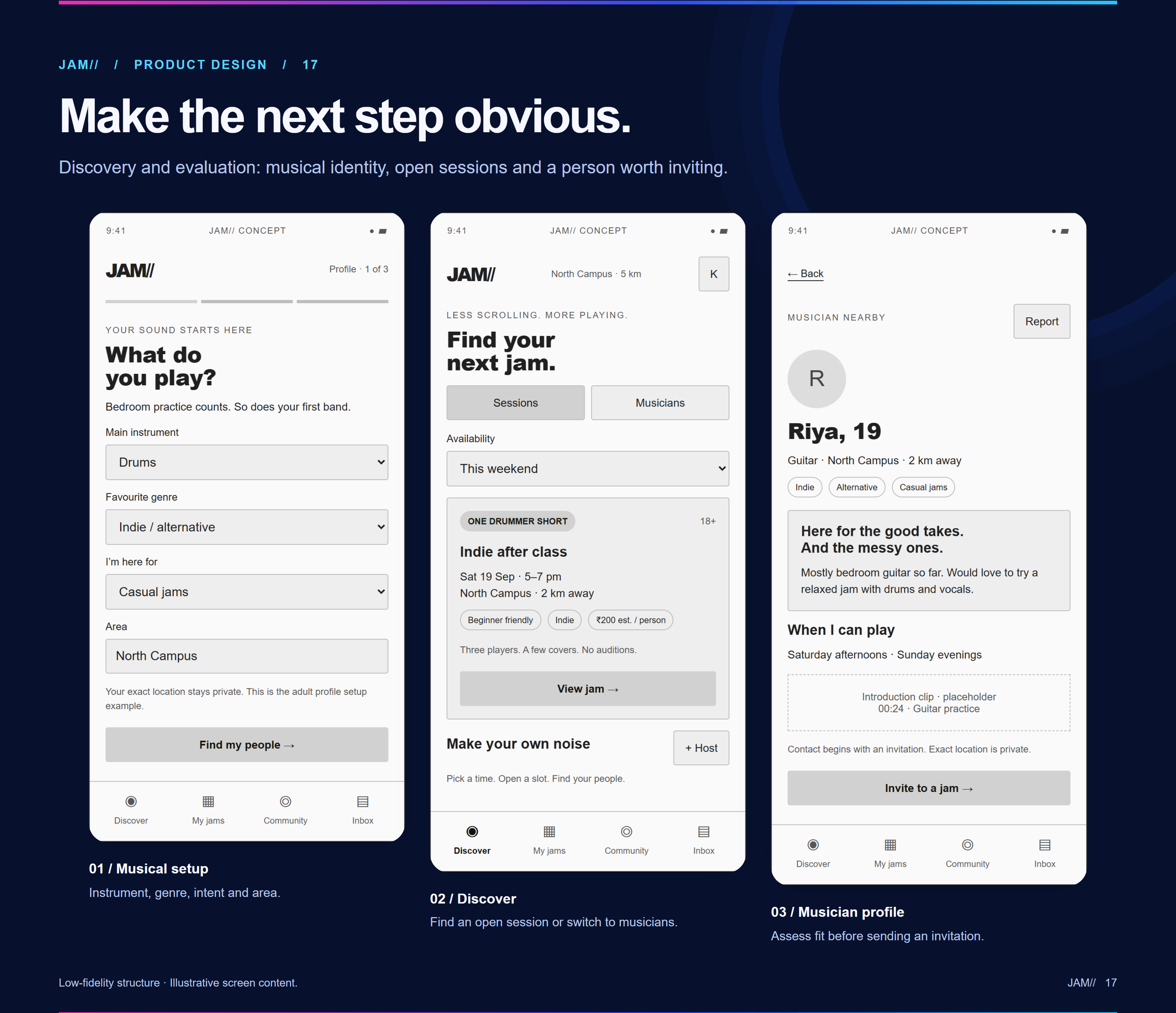
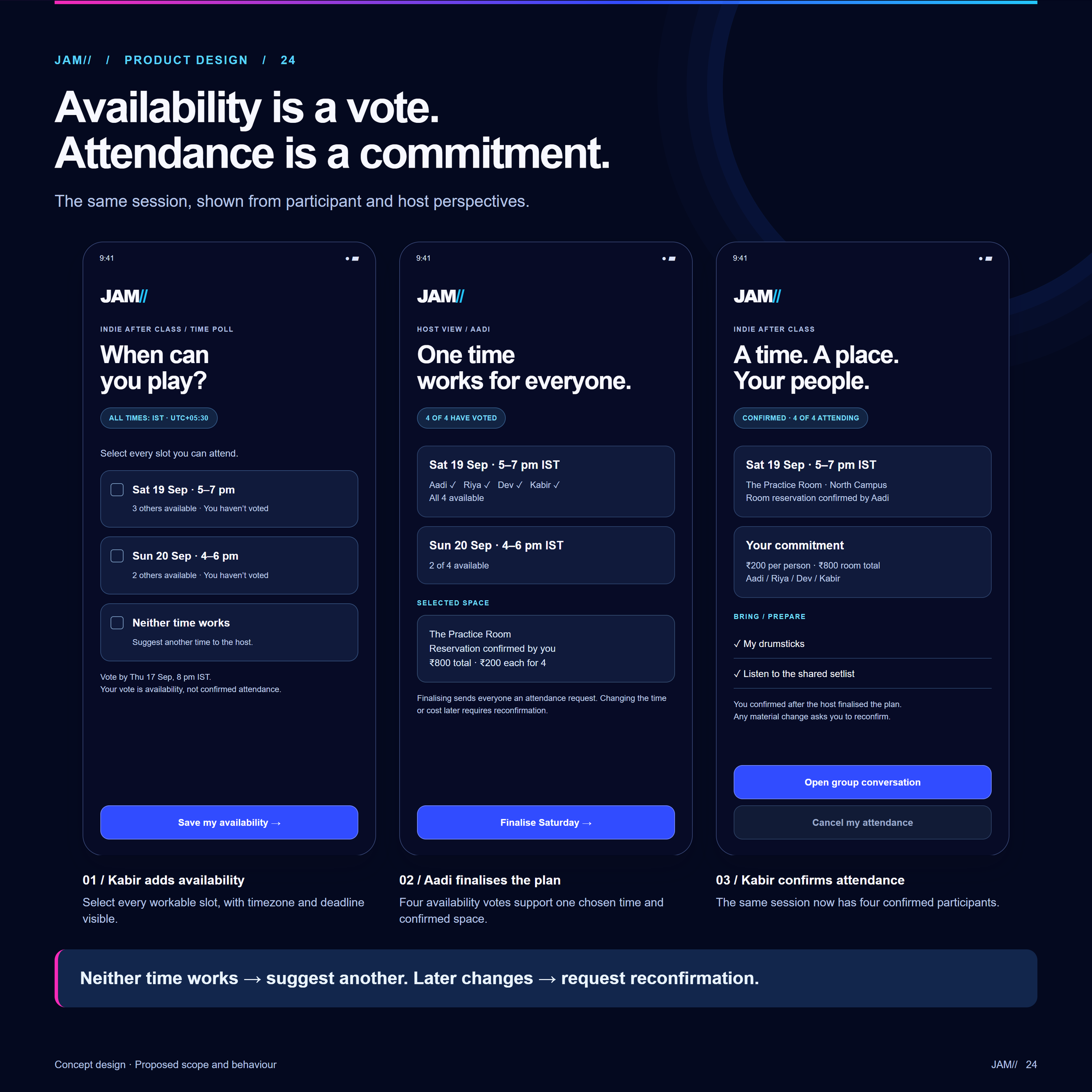
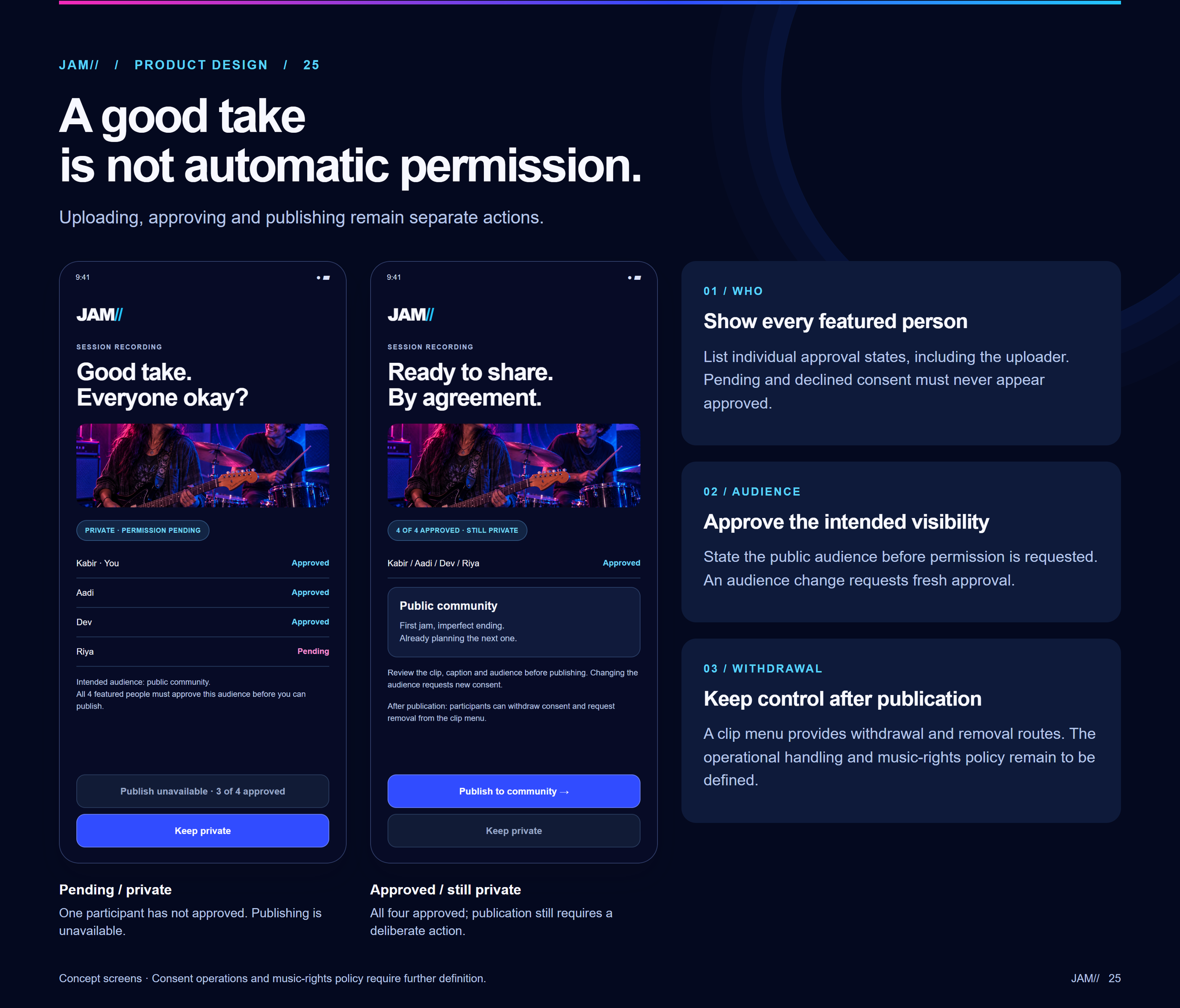
The final boards show the discovery, session-detail and My Jams experience, plus the practical details needed to make participation feel intentional.
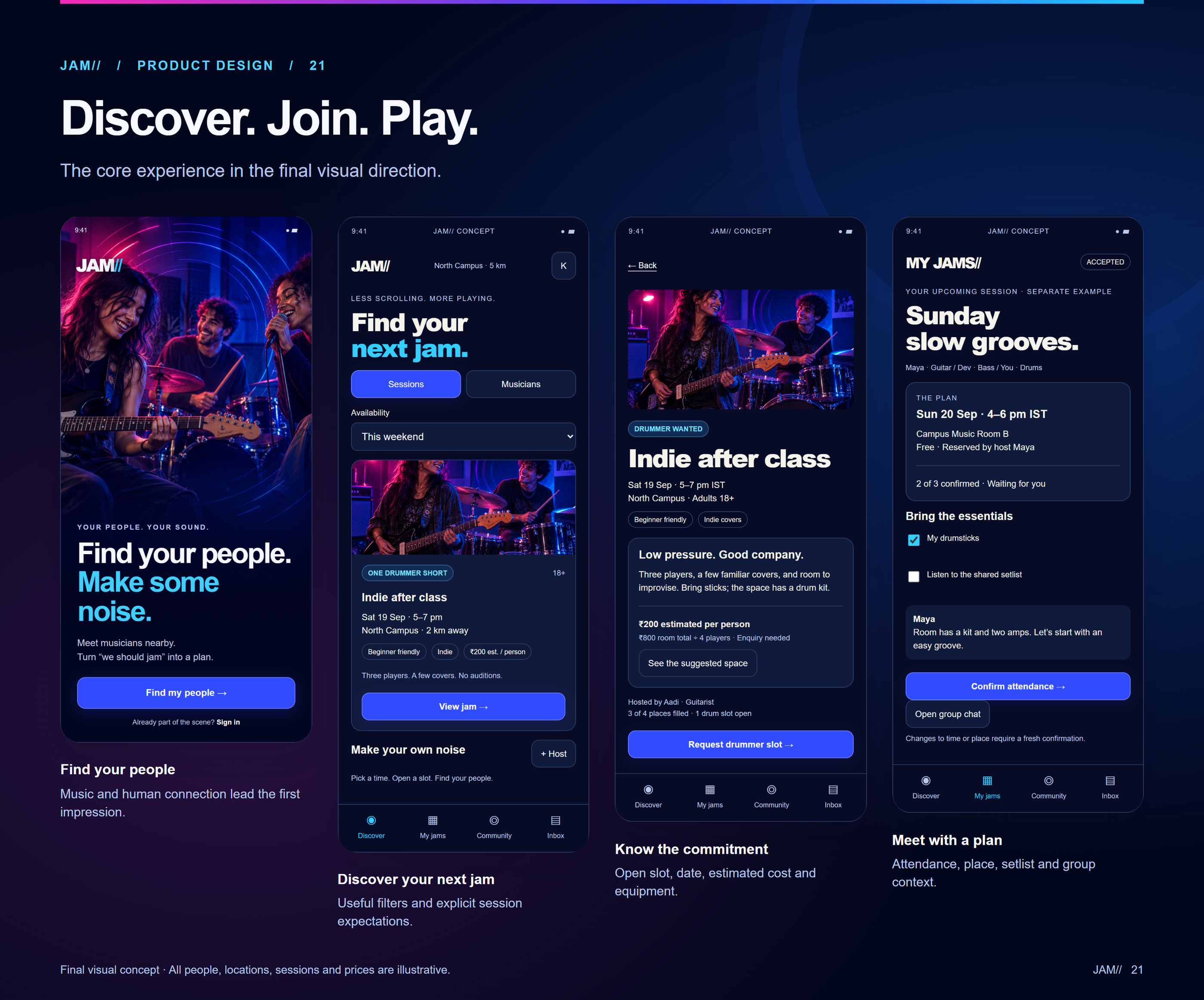
Find musicians and sessions by fit and locality.
Understand the music, people, timing and venue.
Make intent and participation status clear.
Coordinate time, place and availability.
Return to upcoming plans and past activity.
Keep permission explicit rather than implied.
10 / Visual direction
The dark stage-like palette invites exploration, while the session flow needs quieter, more operational information.
Deep blue and electric accents give artists, sessions and local music imagery an energetic setting.
Dates, places, roles, expected costs and consent should remain legible and explicit before anyone commits.
11 / Validation & next steps
These are reasoned design choices, not claims of measured success.
Observe whether session-first results expose the details needed to explain why a session fits.
Test pending, accepted and confirmed states, including a revised plan that needs confirmation again.
Check whether equipment, cost, booking status and recording consent are understandable at the right moment.