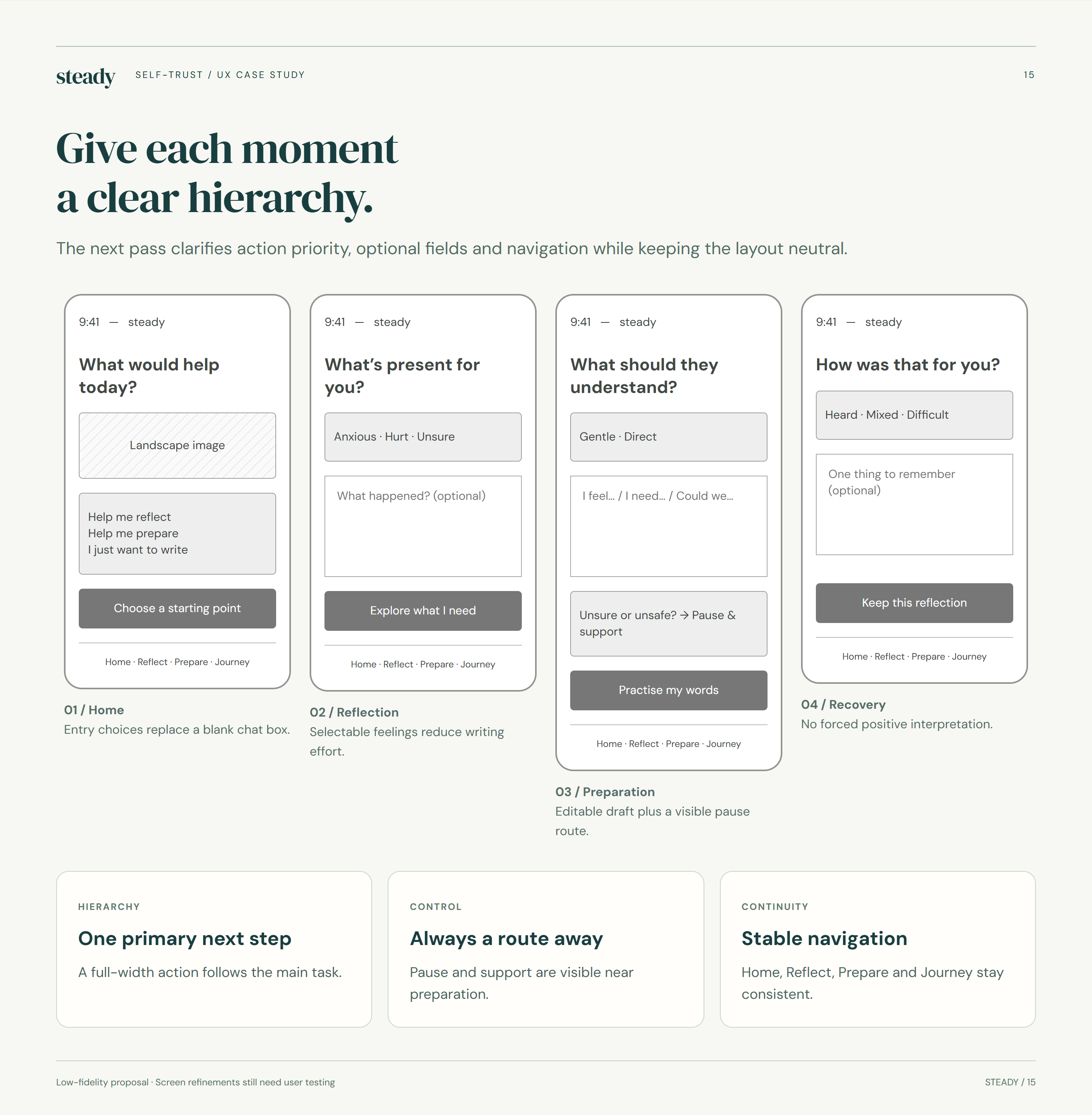
Meet the moment, not a score.
Prompts begin with what happened and what may be needed. A person can answer a little, leave a field blank or take another route.
UI/UX design handout · Mobile app concept
Steady explores a gentler way to reflect, prepare words for an everyday conversation and write privately. This handout records the visual language, choices and boundaries behind the 11-screen concept.
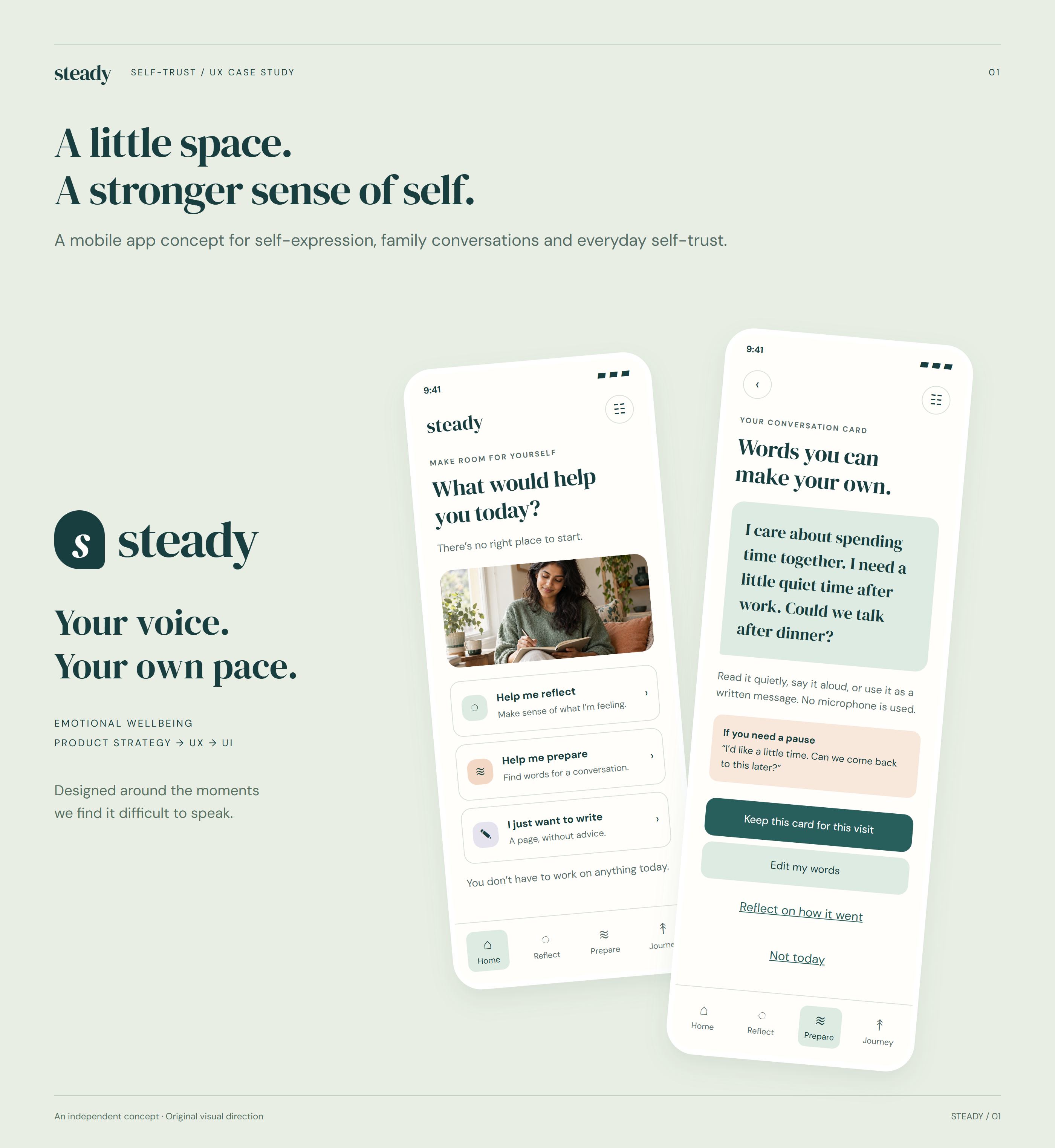 Steady · concept UI
01 / Experience principles
The interaction should help someone take a manageable next step without assuming that speaking up is always safe, wanted or successful.
Prompts begin with what happened and what may be needed. A person can answer a little, leave a field blank or take another route.
Suggested sentences are a starting point. Editing and tone choices leave the final language with the person using it.
Reflection and support paths remain available even when a conversation is difficult or does not happen.
02 / Visual foundations
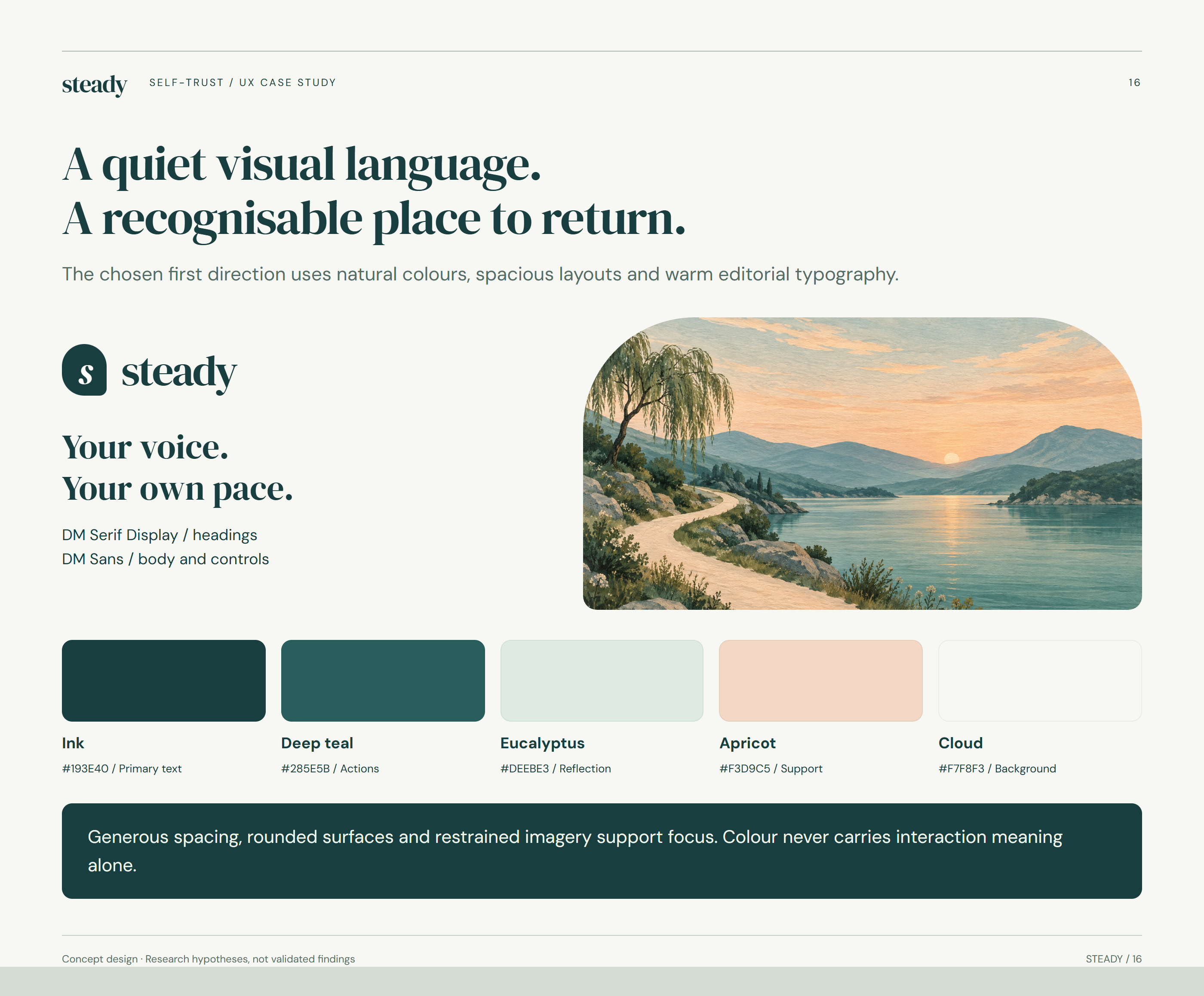
Natural colours, generous spacing and warm editorial typography create a calmer frame for sensitive content. The values below are documented on the supplied visual-identity board.
#193E40Primary text#285E5BActions#DEEBE3Reflection surfaces#F3D9C5Support surfacesWarm, human headings create a recognisable tone without making the task feel clinical.
Clear body text and controls keep prompts, alternatives and support information readable.
03 / Typography
DM Serif Display adds a human, reflective voice. DM Sans carries the practical prompts, choices and support information.
04 / Layout patterns
Generous breathing room, gentle containers and a predictable action pattern support a sensitive subject without implying a single correct path.
Keep prompts short and separate reflection from a next-step choice.
Soft, repeated corners create familiarity across cards, writing areas and support routes.
Optional, skipped, saved and completed must be understandable without pressure or colour alone.
05 / Reusable UI
Rounded surfaces and restrained imagery support focus. Alternatives should be visible rather than hidden as exceptions.
The home screen presents distinct intentions without forcing a prescribed sequence.
People can choose a label, write in their own words or leave a prompt unanswered.
Primary and lower-emphasis actions preserve agency. Colour is not the only signal for what a control does.
06 / Information architecture
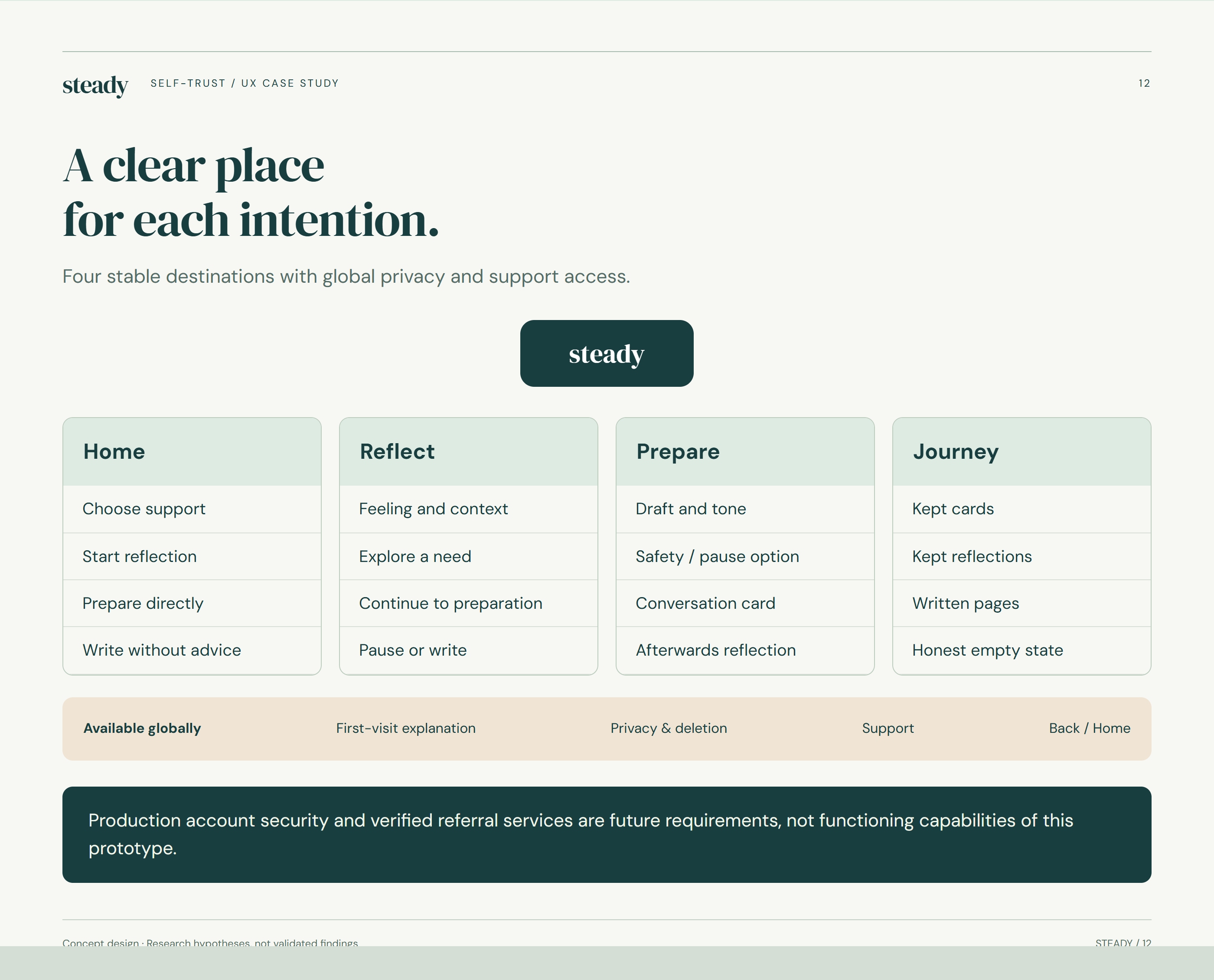
Reflect, Prepare, Write and Journey are complementary routes. Privacy and support must remain easy to find across the experience.
Name a feeling, explore a need and revisit what mattered after a conversation.
Draft, edit, practise or choose not to have the conversation yet.
Make space for thoughts that do not fit a guided prompt.
Revisit selected reflections without turning personal progress into a score.
07 / Journey & flow
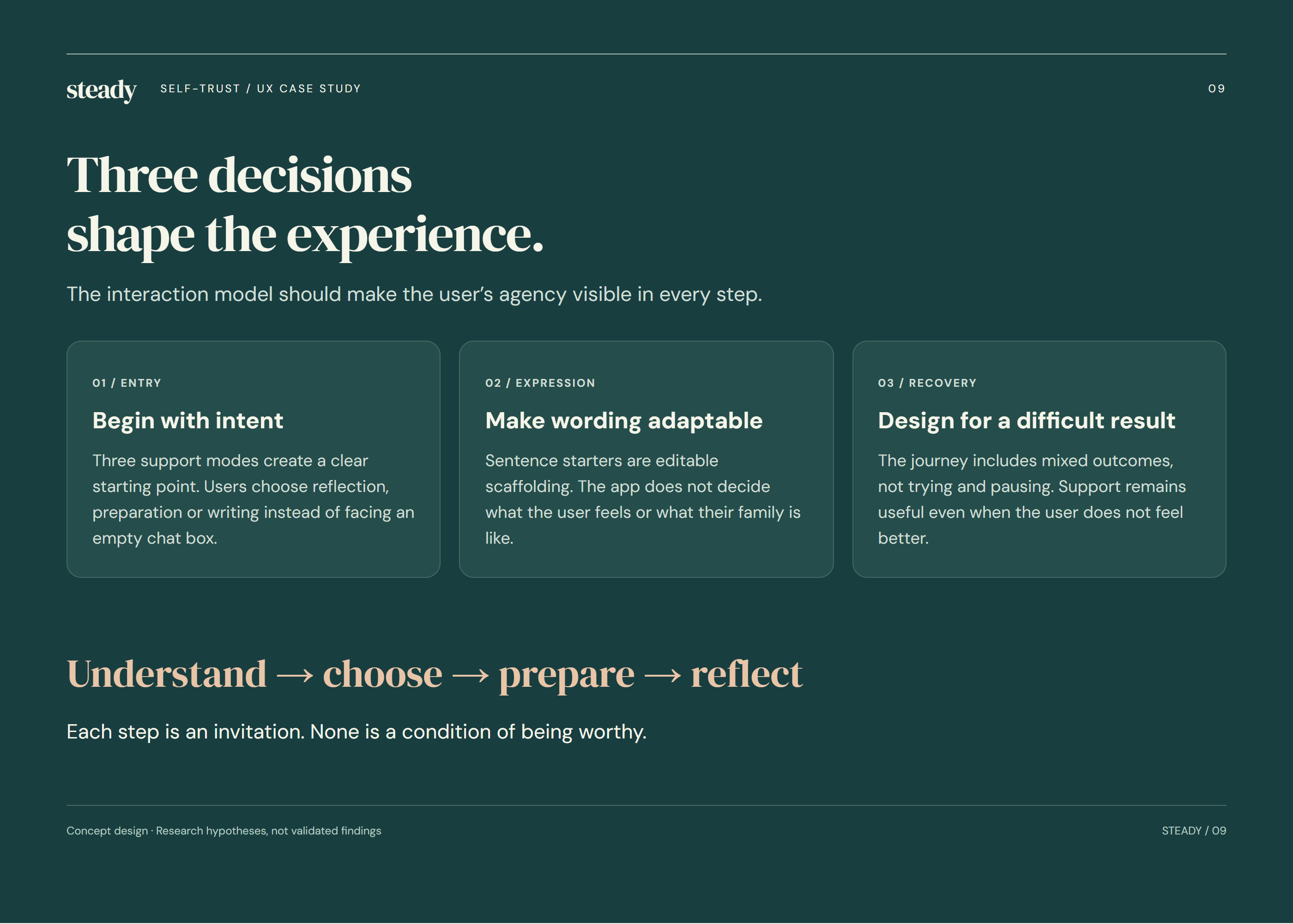
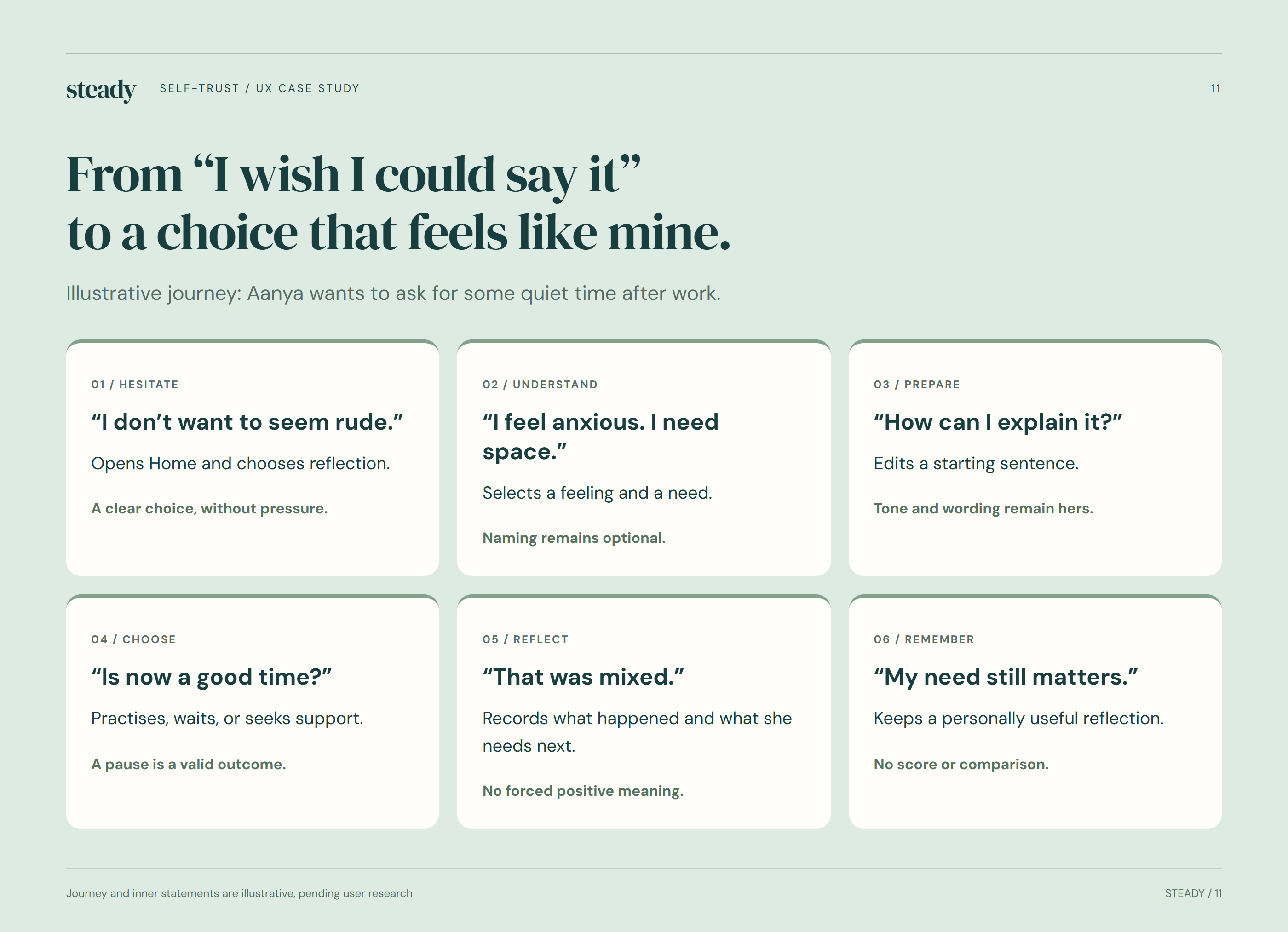
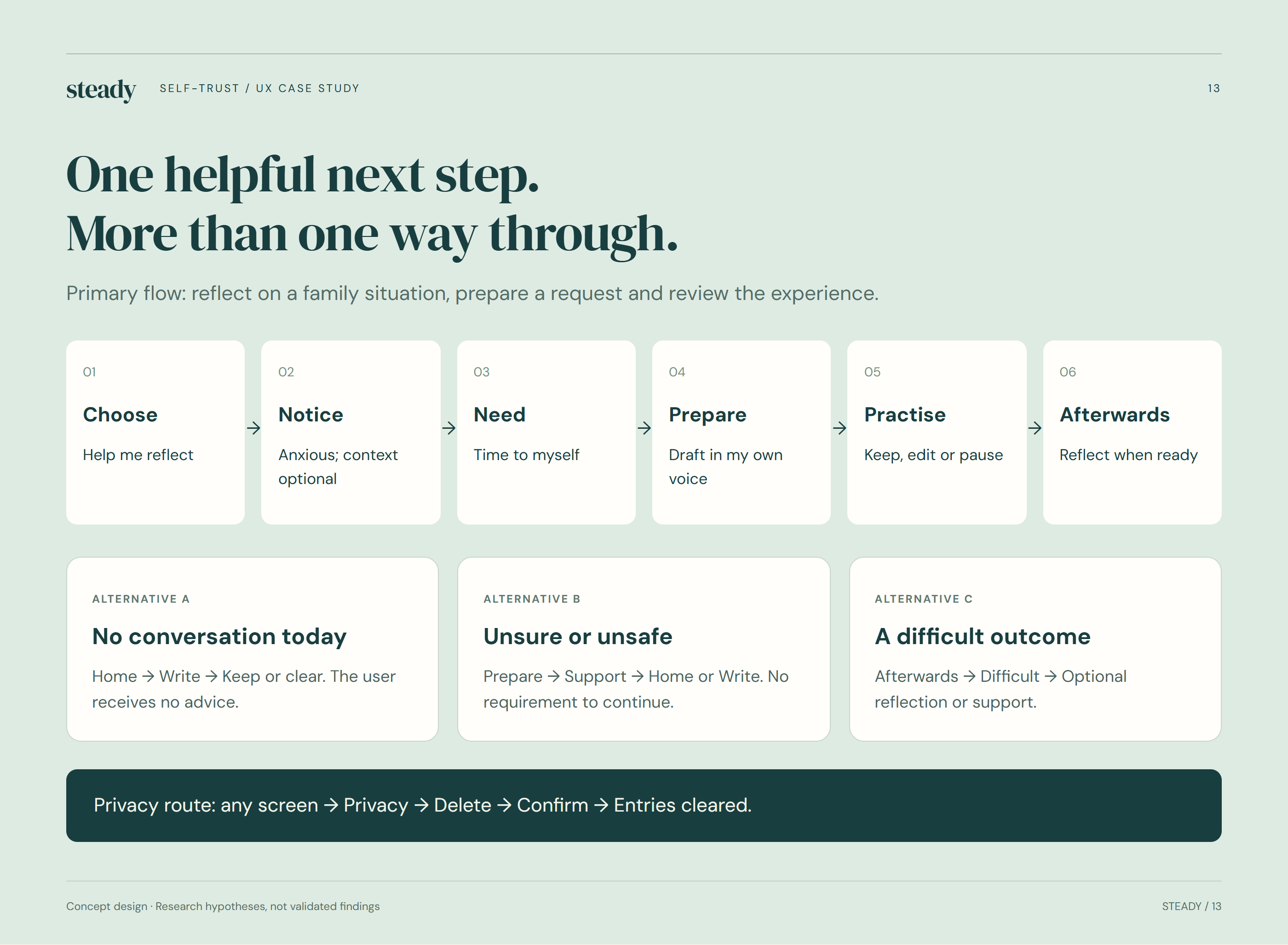
The illustrative journey allows reflection, a draft request and an optional review. Pausing and choosing another path are legitimate outcomes.
08 / UX process
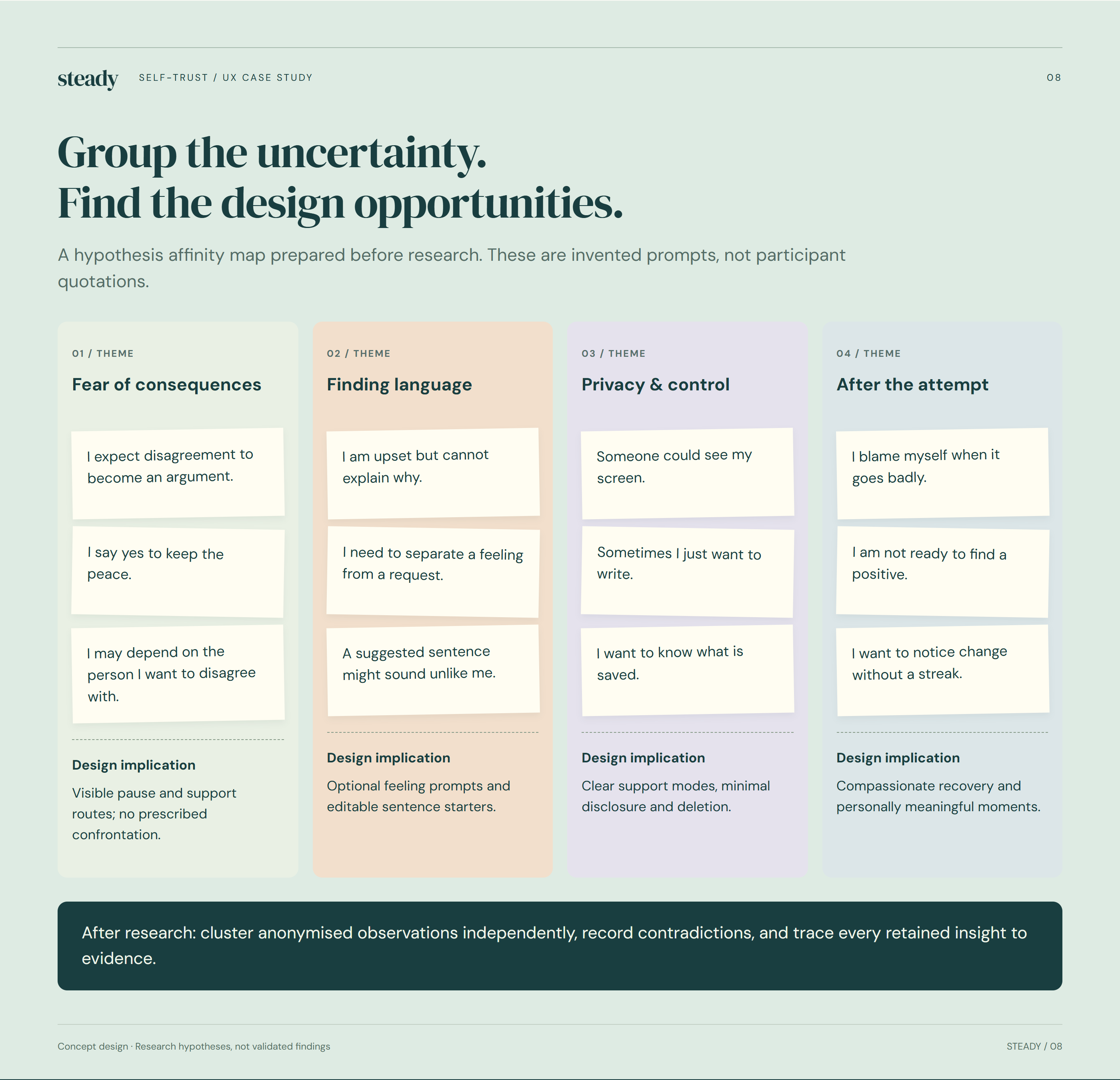
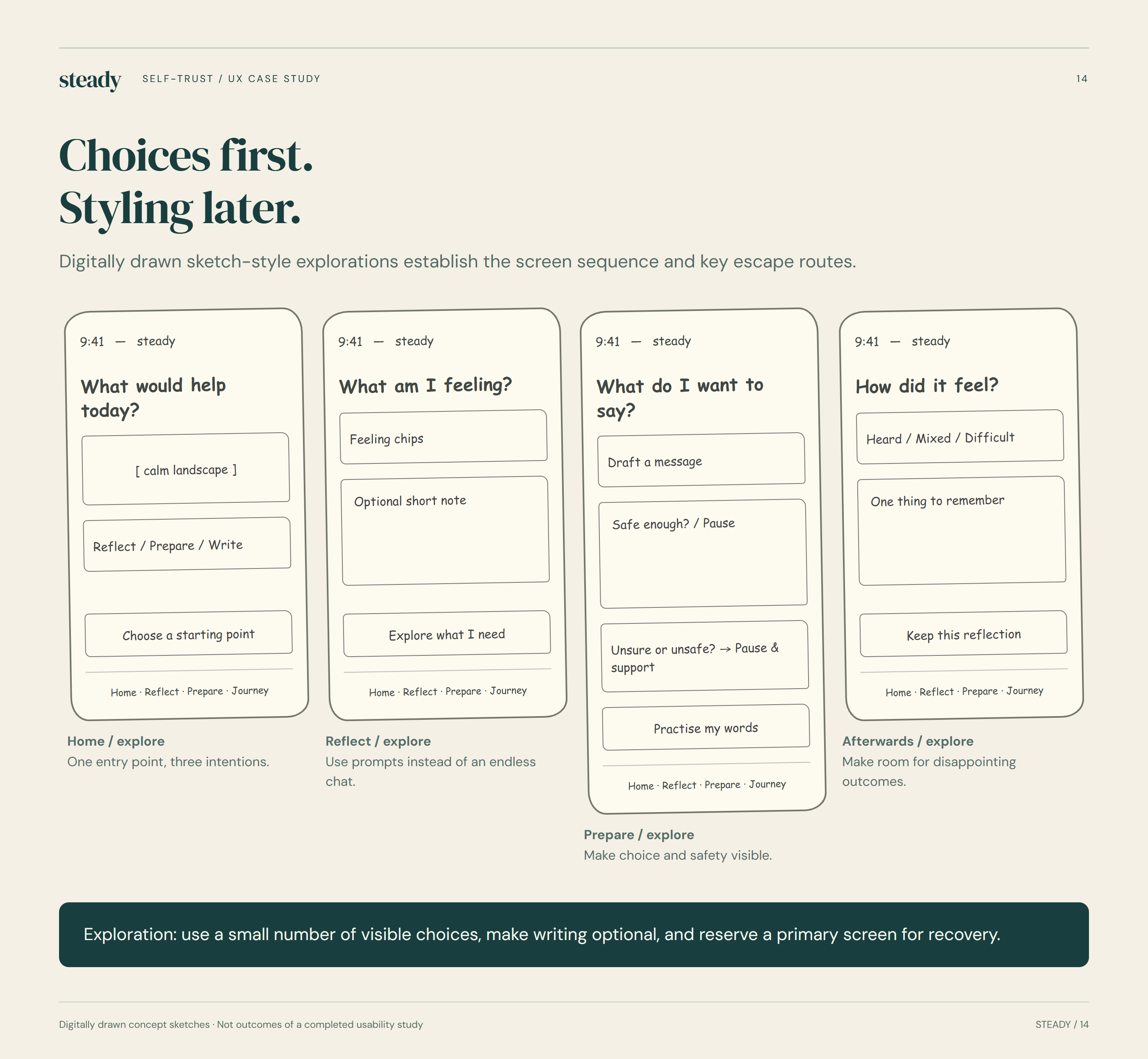
The boards move from possible needs and user stories to structure, sketches and low-fidelity screens. Research activities remain proposed rather than completed findings.
09 / Screen inventory
The final board follows welcome, home, reflection, preparation, personal writing, Journey and privacy/support screens.
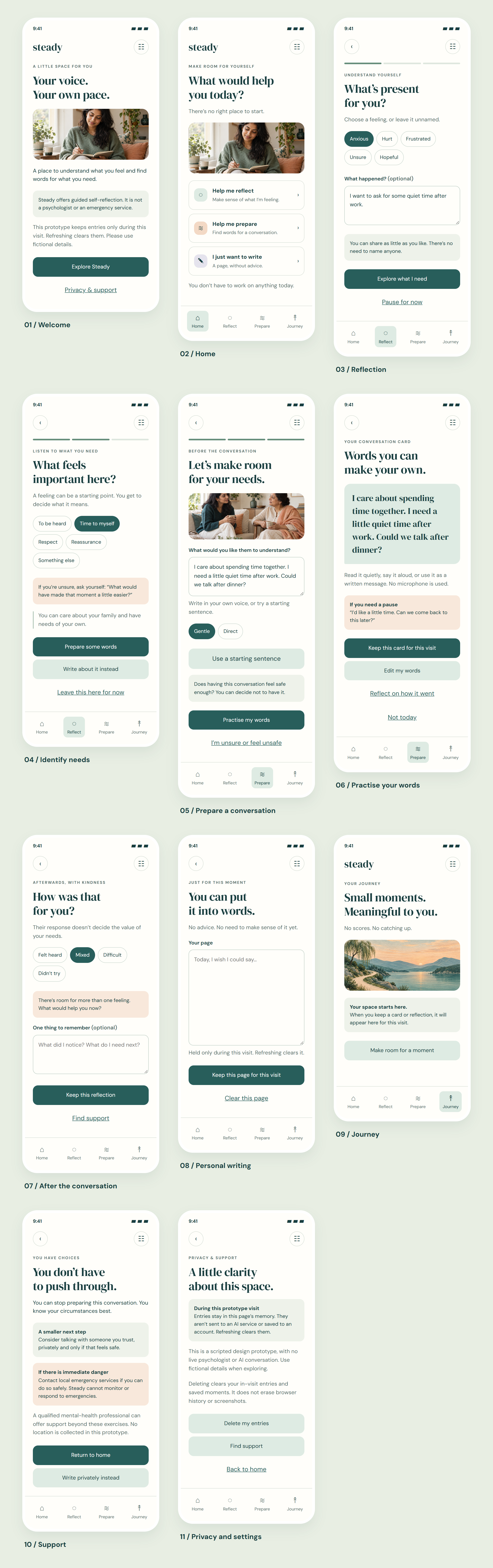
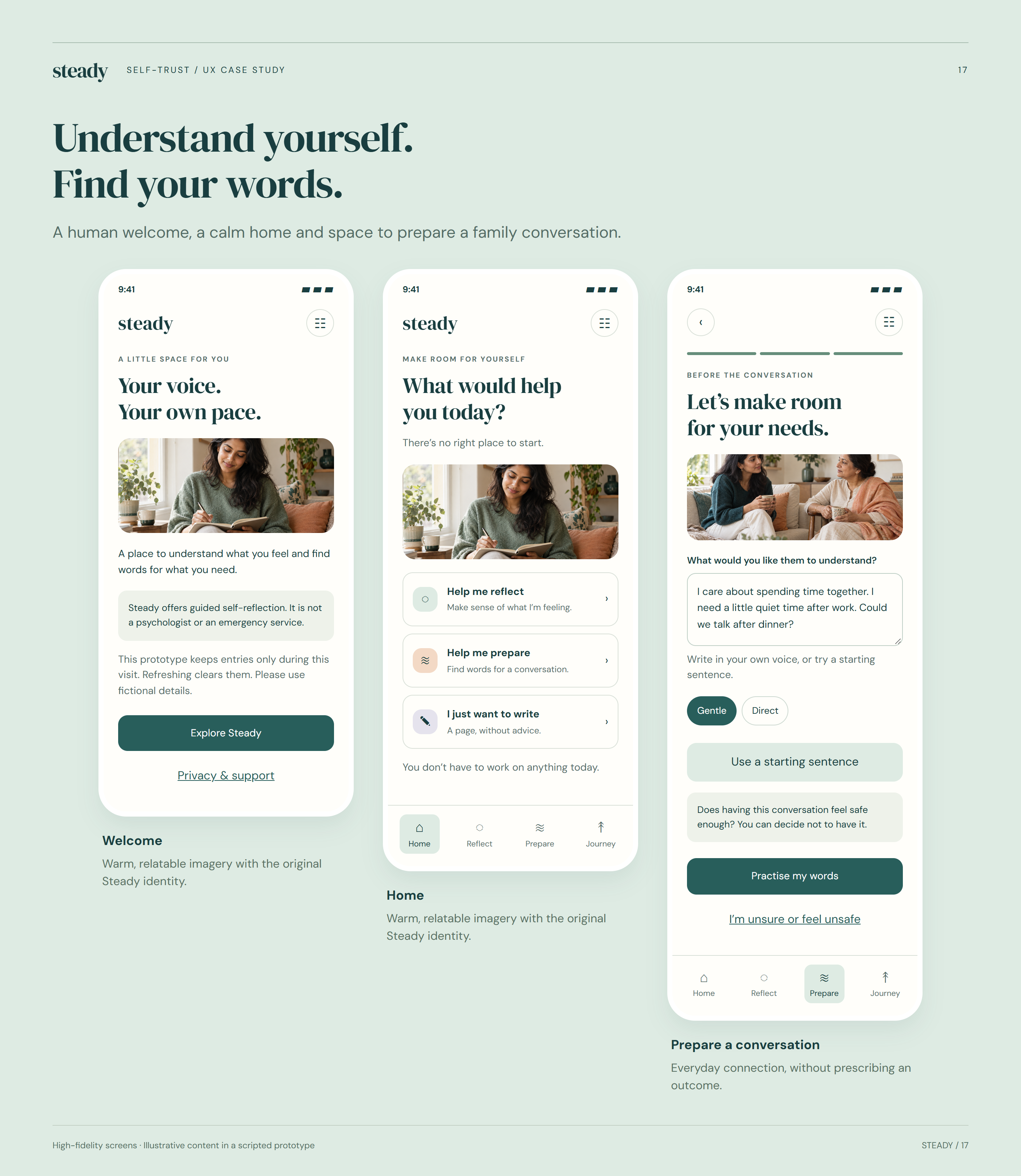
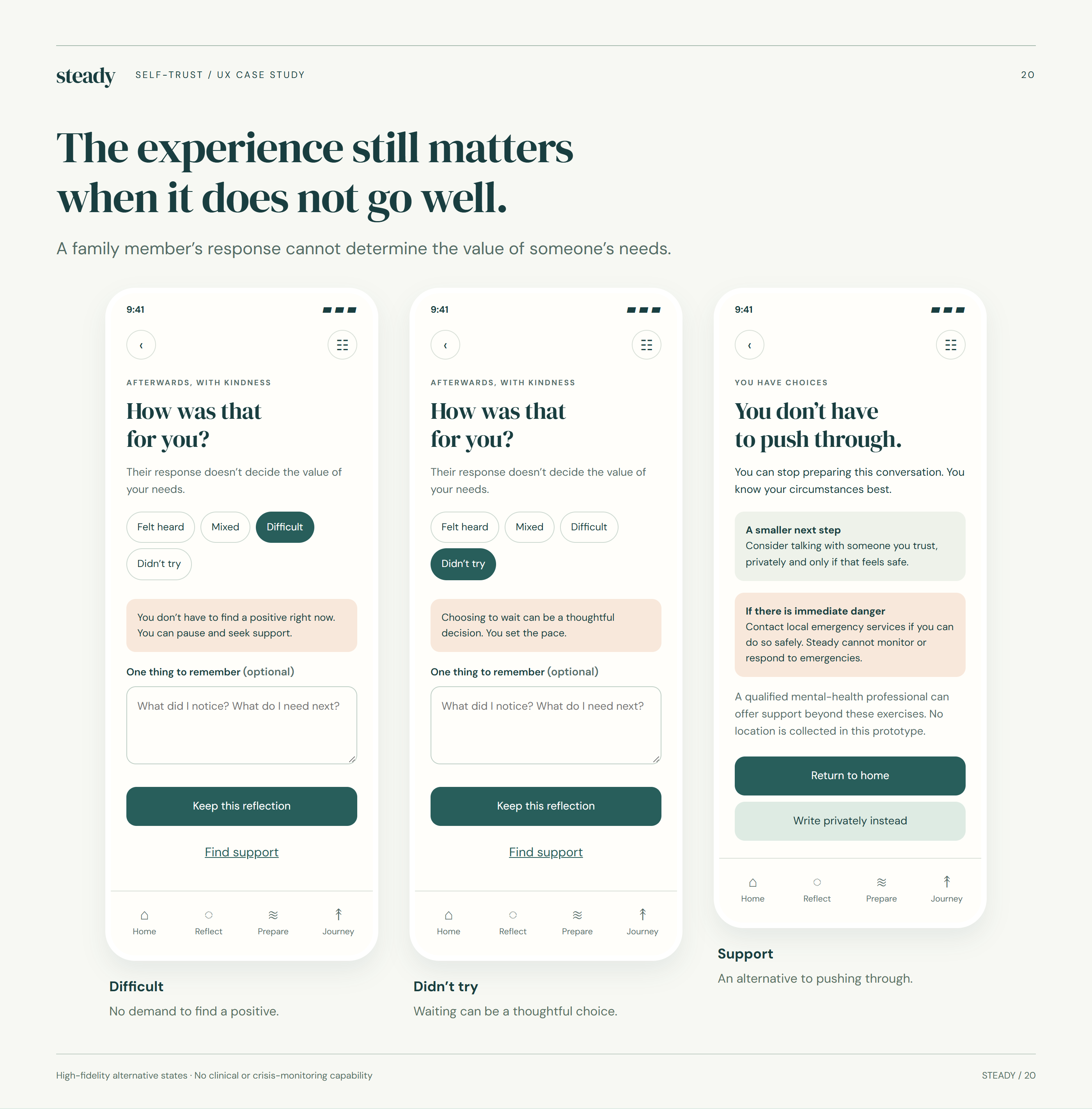
Set a gentle expectation for the concept.
Offer clear routes without demanding a perfect answer.
Name a feeling or situation in personal words.
Draft and revise a starting sentence.
Pause, reflect or seek support after a hard outcome.
Write freely and revisit chosen moments.
10 / Visual direction
The visual direction uses warm neutrals and natural colour, while the interaction language protects choice and makes boundaries visible.
Editorial type and eucalyptus surfaces create a quieter place to begin or return.
Clear labels, skip routes and support information keep the tone from hiding important decisions.
11 / Trust & next steps
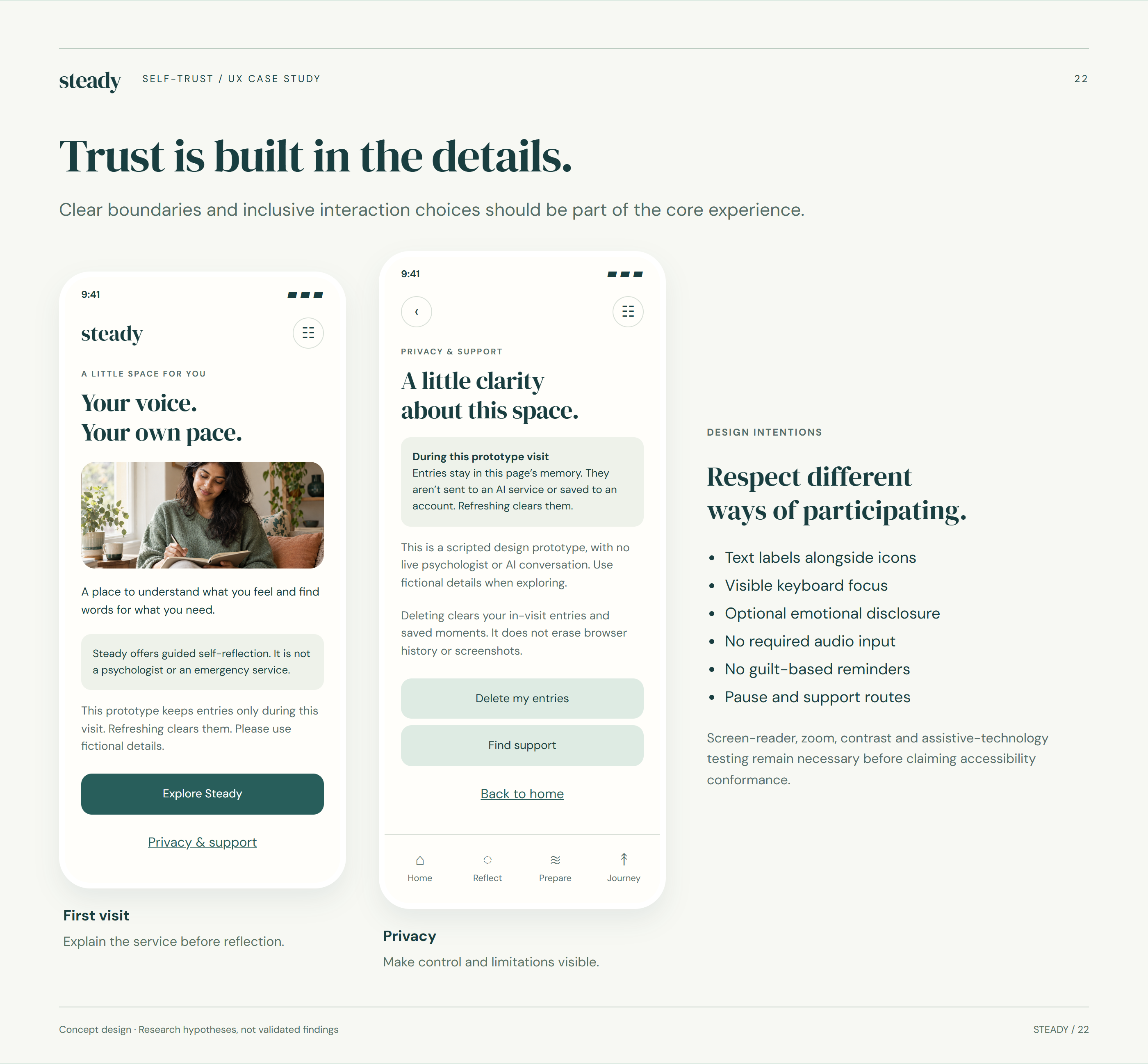
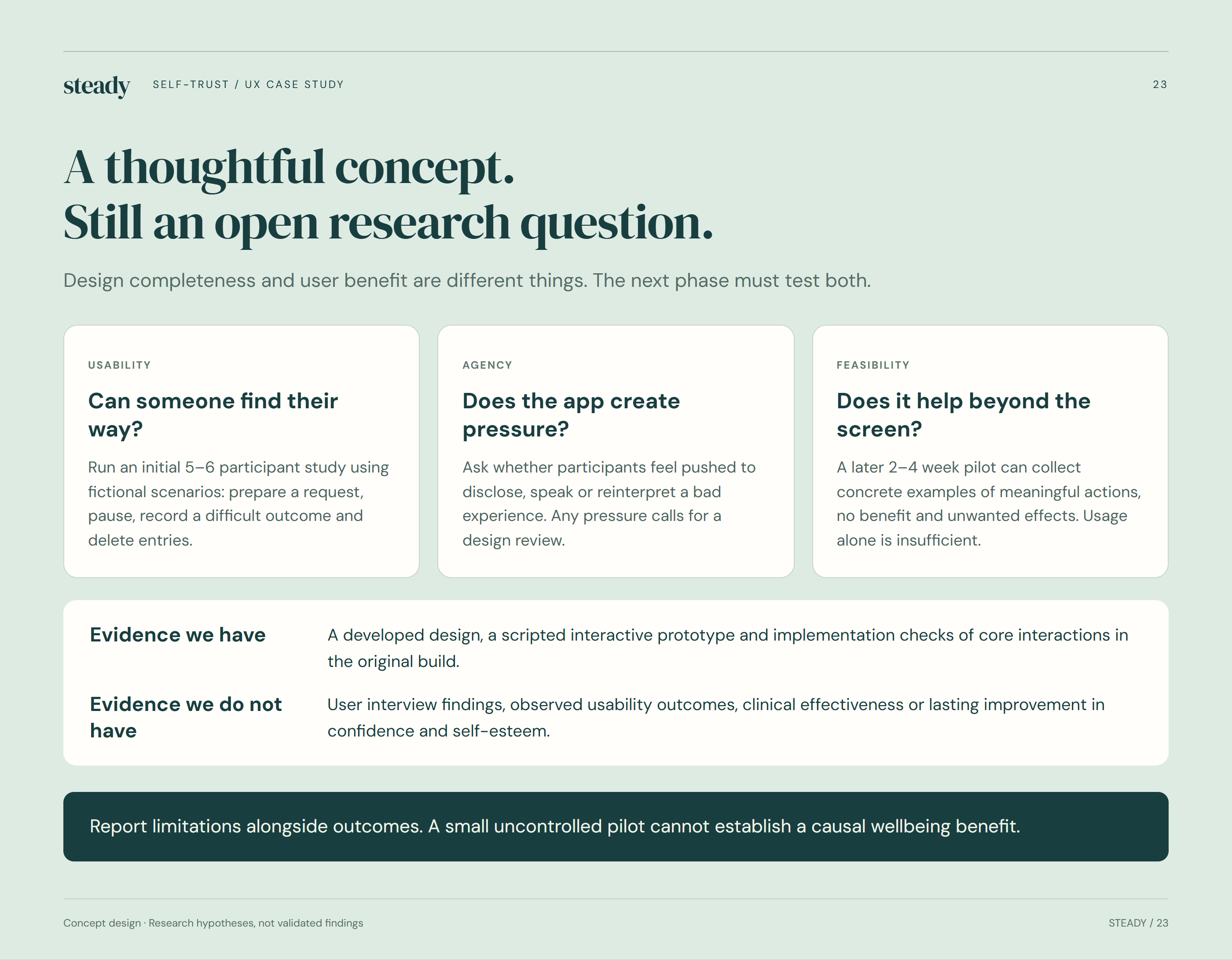
Steady is a scripted self-reflection concept, not a psychologist, diagnosis or emergency service. The next stage is careful research and professional content review.
The current prototype keeps entries in memory during a visit. Persistent storage and clear deletion behaviour would need to be designed before release.
Use readable hierarchy, labelled controls and alternatives to every guided prompt; assess assistive-technology behaviour with users.
Test whether people understand the app’s limited role and can find support without feeling pushed into a conversation.